

 EnglishEN
 ItalianoIT
 DeutschDE
 EspañolES
 FrançaisFR
 РусскийRU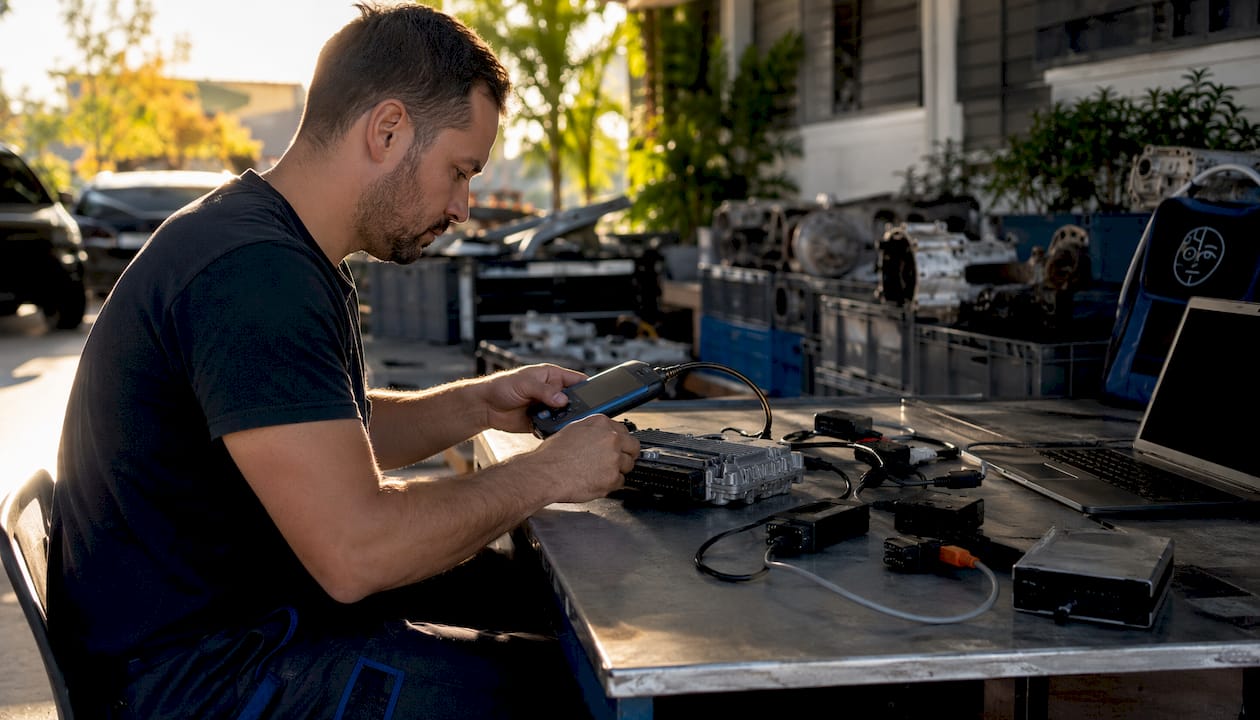
Leitura e gravação de ECU Dimsport requer a seleção correta do protocolo, suporte de alimentação regulado, um arquivo original verificado e um caminho de recuperação documentado. O MyGenius, o New Genius, o Trasdata e o Race EVO têm funções diferentes, e o procedimento exato depende da ECU/TCU, da configuração da ferramenta, do protocolo e da documentação atual da Dimsport.
Use este guia como sua única referência para ciclos de leitura/gravação seguros e repetíveis da Dimsport. O resultado principal: uma leitura de ECU validada, um arquivo modificado gravado corretamente e um backup original guardado — alcançados com MyGenius, New Genius, Trasdata ou Race EVO, sem uma ECU travada ou uma gravação com falha.
Lista de verificação de pré-leitura/consulta rápida:
- Unidade de suporte à bateria conectada e configurada de acordo com a tensão e a corrente exigidas pelo veículo e pelo protocolo
- Todos os acessórios do interior do veículo estão desligados (faróis, controle de temperatura, aquecimento dos bancos)
- Confirmado o estado correto da ignição para o veículo e o protocolo específicos; o modo KOEO é comum, mas não universal
- Verifique se o cabo OBD ou de bancada está corretamente conectado e se os drivers USB estão atualizados
- O software do cliente e o firmware do dispositivo foram verificados em relação às instruções oficiais atuais
- Marca do veículo/model/tipo de ECU confirmados antes da seleção do protocolo
- A leitura do stock foi salva na pasta IN/OUT com o VIN, a data e as iniciais tuner no nome do arquivo
- Arquivo ajustado checksum verificado antes do envio para o dispositivo
- Gravação concluída com alimentação estável; registro do dispositivo capturado imediatamente após
- Concluídas a identificação da ECU após a gravação, a varredura de códigos de falha (DTC) e a sequência de ignição específica da plataforma
Dica de Mestre: Desligue todos os acessórios elétricos do interior do veículo antes de iniciar uma identificação (ID) ou leitura. Os ventiladores do ar-condicionado, os faróis e os aquecedores dos bancos consomem corrente suficiente para causar queda de tensão e falhas de comunicação durante a leitura — um erro que pode corromper o arquivo de leitura e exigir a reinicialização do dispositivo.
1. Quais ferramentas da Dimsport este guia cobre e quando você deve usar cada uma?
Este guia de ferramentas Dimsport tuning abrange quatro plataformas de ferramentas. Cada uma delas desempenha uma função específica no fluxo de trabalho de uma oficina profissional, e escolher a ferramenta errada para um trabalho custa tempo.
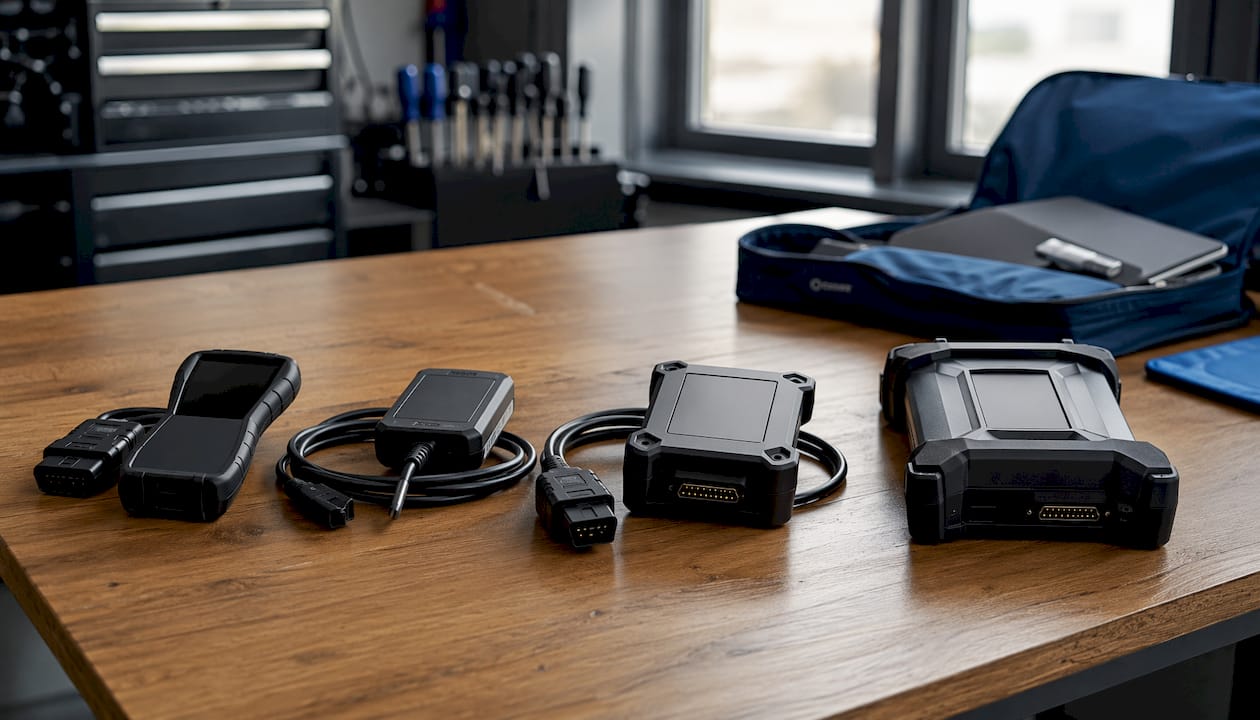
MyGenius é um dispositivo portátil independente para programação OBD. Ele lê e grava dados por meio da porta OBD do veículo, sem a necessidade de um laptop, o que o torna a ferramenta mais rápida para trabalhos envolvendo um único veículo e clientes recorrentes. O Manual oficial do usuário do MyGenius documenta dois protocolos de identificação modes: totalmente automático (VAG, BMW, Mercedes, Porsche, Scania, John Deere) e seleção manual de marca/modelo/tipo para todos os demais veículos.
Novo Gênio (também conhecido como Genius Suite ou dispositivo Flashpoint) é uma interface conectada ao PC que utiliza o software Flashpoint Client. O fluxo de trabalho de troca de arquivos IN/OUT — leitura no dispositivo, download para o PC, envio para o tuner, upload do arquivo modificado e gravação na ECU — torna-o a escolha padrão para oficinas que terceirizam trabalhos de calibração ou gerenciam grandes bibliotecas de arquivos.
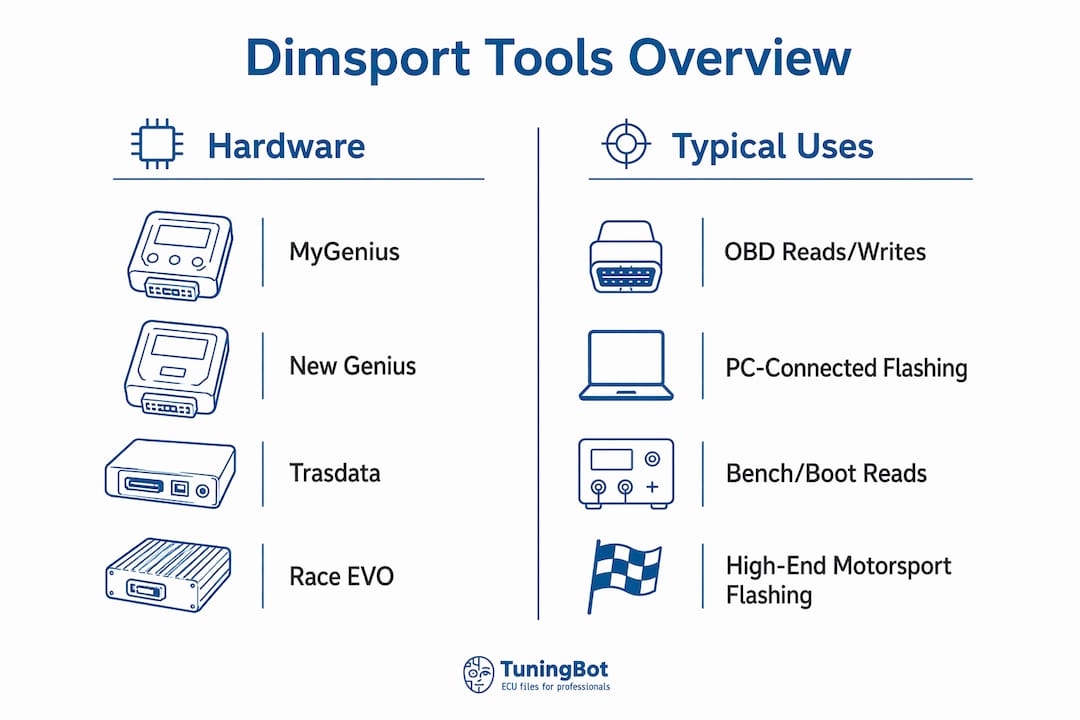
Trasdata lida a bancada, o boot e a serial para ECUs que não podem ser acessadas de forma confiável via OBD. Use-o quando uma leitura OBD retornar dados incompletos, quando a ECU exigir acesso direto aos pinos ou quando você estiver recuperando uma unidade que não se comunica através da porta de diagnóstico.
Race EVO É o equipamento de programação em bancada da Dimsport para aplicações no automobilismo e de alto desempenho. Ele permite a programação direta da ECU em bancada e é a escolha certa quando o acesso OBD é bloqueado pelo fabricante ou quando a calibração exige acesso binário total.
| Produto | Função principal | Limitação importante |
|---|---|---|
| MyGenius | Fluxo de trabalho de programação portátil específico para o cliente ou veículo, onde houver suporte | As funções dependem da configuração, do protocolo e do provedor Master |
| Novo Gênio | OBD profissional e fluxos de trabalho de serviços compatíveis | O manuseio e o acesso aos arquivos dependem da configuração da ferramenta |
| Trasdata | Acesso direto à ECU/TCU por meio dos métodos Bench, Boot, BDM ou JTAG compatíveis | Requer a configuração exata dos pinos, adaptadores e documentação do protocolo |
| Race EVO | Software de edição de calibração e desenvolvimento de mapas | Isso não substitui o hardware de acesso à ECU |
Observações sobre o sistema operacional e o software: Recomenda-se o Windows 8 ou uma versão mais recente para o MyGenius Client e o Flashpoint Client. Os drivers vêm na pen USB incluída; pacotes de drivers adicionais estão disponíveis junto ao fornecedor para versões mais antigas do Windows. Todas as quatro ferramentas dependem de seus respectivos softwares clientes para a transferência de arquivos — o dispositivo por si só não consegue enviar arquivos para o seu PC sem que o cliente esteja em execução.
2. Preparação e controles de segurança antes de ler ou gravar
Skipping preparation is the most common cause of failed reads and bricked ECUs in professional shops. Run this sequence before every job.
Power management. Connect a battery stabilizer or quality charger rated to maintain constant 12V during the entire read and write cycle. A charger set to a maintenance or supply mode works; a standard trickle charger does not. Voltage drop mid-write is the leading cause of incomplete flashes that require bench recovery.
Hardware checklist:
- Known-good OBD or bench cable, inspected for bent pins
- USB cable from the device kit (not a generic charging cable)
- Correct vehicle-specific adapter if required by the ECU type
- Spare read device or backup programmer available for recovery scenarios
Software checklist:
- MyGenius Client or Flashpoint Client installed on a Windows 8+ machine
- Device firmware updated — run the update cycle at least twice on initial setup to capture all module updates
- USB drivers installed and confirmed in Device Manager
- IN/OUT folder structure created and tested with a prior read file
Before any dealer service visit, flash the vehicle back to stock. If a dealership overwrites a tuned file with a new OEM firmware update, the Dimsport device will be unable to write any modified file back until a forced reset is performed — a process that may incur fees and requires contacting your master distributor. Restore stock before handing the vehicle over.
Legal and insurance note for US shops: ECU calibration that affects emissions control systems may conflict with EPA regulations and void manufacturer warranties. Confirm your shop’s compliance obligations and customer disclosure requirements before performing any emissions-related modification. This guide is technical information, not legal advice — consult a qualified professional for your specific situation.
Dica de Mestre: Keep a dedicated shop laptop for Dimsport client software only. Mixed-use machines accumulate driver conflicts and Windows updates that can break USB device recognition at the worst possible moment.
3. Como ler uma ECU com segurança usando hardware Dimsport
The minimum viable read sequence: connect the cable, confirm KOEO, let the device identify the protocol, capture the read file, and transfer it to the PC before doing anything else.
OBD read procedure (MyGenius and New Genius):
- Connect the OBD cable to the vehicle’s diagnostic port and to the Dimsport device.
- Connect the battery stabilizer.
- Turn the ignition ON, engine OFF (KOEO). For keyless-start vehicles, press the start button without pressing the brake pedal to reach accessory/ignition-on mode.
- Switch off all cabin accessories: headlights, climate control fans, seat heaters, and infotainment screens.
- On the device, select WORK from the main menu.
- For VAG, BMW, Mercedes, Porsche, Scania, or John Deere: the device runs automatic protocol identification. For all other vehicles, select Brand → Model → Type manually.
- Confirm the stabilized battery prompt and press OK.
- Select READING and follow the on-screen prompts. Do not disconnect the cable or turn off the ignition.
- When the read completes, unplug the OBD cable from the vehicle.
- Connect the USB cable from the device to the PC and open MyGenius Client or Flashpoint Client.
- Click Download from MyGenius (MyGenius Client) or Read NewGenius (Flashpoint Client) to transfer the read file to the PC.
- Save the file immediately to your IN/OUT folder using the naming convention below.
File naming convention:
STOCK_[VIN_LAST8]_[DATE]_[TUNER].binfor the original readIN_[VIN_LAST8]_[DATE]_[TUNER].binfor the file sent to the calibratorOUT_[VIN_LAST8]_[DATE]_[TUNER].binfor the modified file returned
Including VIN, date, and tuner initials in the filename reduces turnaround time when working with remote file providers and makes rollback straightforward.
Bench and boot-mode reads. When an OBD read returns incomplete data or the ECU does not respond, switch to Trasdata for bench or boot access. Select the correct protocol from the Trasdata software’s ECU database — never guess. Boot mode requires physical pin access to the ECU board; confirm the correct boot pins from the Dimsport Knowledge Base or your distributor’s documentation before proceeding.
Dica de Mestre: Minimize cabin electrical load before every ID and read. A quiet cabin eliminates the single most common class of communication errors without any other troubleshooting.

4. Como gravar um arquivo modificado de volta na ECU e verificar o resultado
Follow the device prompts, keep stable power throughout, watch the device log, and verify with an ECU ID check before releasing the vehicle.
Write procedure (MyGenius / New Genius):
Connect the battery stabilizer first. Open MyGenius Client or Flashpoint Client, navigate to the IN tab, and import the modified file received from your calibrator. Use Write NewGenius (Flashpoint) or the FILE UPLOAD function (MyGenius Client) to push the file to the device. Disconnect the USB cable, connect the OBD cable to the vehicle, select WORK on the device, and follow the on-screen prompts. The device will display any notes attached to the modified file before writing — read them. Do not interrupt power or disconnect the cable during the write sequence.
For keyless-start vehicles, confirm the correct ignition-on procedure for that platform before initiating the write. Some vehicles require a specific door-open or brake-pedal sequence to reach a stable KOEO state.
Post-write verification:
- Perform an ECU ID check immediately after the write to confirm the new calibration ID matches the tuned file.
- Complete two full ignition cycles (on/off/on) and check for stored DTCs with a scan tool.
- Inspect for any abnormal smoke, unusual idle behavior, or warning lights before a road test.
- A short dyno pull or controlled road test with data logging is the correct final validation step. For dyno preparation practices applicable to performance builds, the workflow guidance at Thunderhorse Tuning covers pre-session checks that translate directly to four-wheel validation runs.
If a write fails mid-process, do not disconnect the device. Leave the cable connected, capture the device log immediately, and attempt a boot-mode recovery via Trasdata if the ECU will not respond. A mid-write failure with the cable still connected is recoverable in most cases; disconnecting during the failure often makes recovery significantly harder.
Rollback procedure. Load your saved STOCK file via the IN tab, push it to the device, and write it back using the standard write sequence. Confirm the stock ECU ID after the write. Keep the stock file in a separate, clearly labeled folder — never overwrite it.
Dica de Mestre: Capture pre-write voltage in the device log before every flash. Many write failures are power events, not device failures. Having the voltage record speeds diagnosis and prevents unnecessary device resets.
5. Erros comuns e como se recuperar deles
Most Dimsport failures fall into three categories: communication errors, checksum/file errors, and ECU soft-bricks. Each has a distinct recovery path.
Communication errors — immediate checks:
- Verify battery voltage is at or above 12V with the stabilizer connected.
- Confirm the OBD cable is fully seated with no bent pins.
- Check USB driver status in Windows Device Manager; reinstall if the device shows an error flag.
- Confirm the device firmware is current — a firmware mismatch between the device and client is a frequent cause of failed ID attempts.
- Verify ignition position is KOEO, not KOER (engine running) or accessory-only.
- Disable all cabin accessories and retry the ID sequence.
Checksum and file-format errors. A checksum mismatch means the file’s internal validation data does not match its content. Do not attempt to guess or manually patch checksum values. Use a dedicated Correção do arquivo ECU checksum tool or return the file to your calibrator for correction. Writing a file with an incorrect checksum can produce unpredictable ECU behavior or a failed write that requires bench recovery.
Bricked ECU triage:
- Soft brick: The ECU is unresponsive over OBD but the vehicle’s basic electrical systems are intact. Attempt boot-mode recovery via Trasdata using the correct boot pins and a known-good stock file.
- Hard brick: The ECU does not respond to boot-mode access. At this point, bench reprogramming with Race EVO or an external bench reprogramming service is required.
- If bench recovery fails, escalate to Dimsport vendor support or a specialist ECU repair service.
Escalation: what to collect before contacting support. Device logs and the exact read file are the first things any vendor or file provider will request. Include the device serial number, client software version, vehicle VIN, ECU part number, and a description of the failure sequence. Providers typically require these materials before issuing recovery steps or authorizing a device reset.
6. Formatos de arquivo, identificação de mapas e práticas seguras de edição
Dimsport tools produce and consume binary ECU files, typically with extensions that reflect the device and workflow used.
| File type | Função típica | Cuidado |
|---|---|---|
| Tool-specific or encrypted file | Used inside a configured Dimsport or Master/Slave workflow | May not be directly editable or portable |
| Raw binary | Full or partial ECU data where provided | Must match the exact hardware, software and read type |
| Leitura virtual | Server-supplied original matched from ECU identification | Not the same as a physical full backup |
| ORI / MOD naming | Workshop convention for original and modified files | Extensions alone do not prove origin or integrity |
Map identification. ECU maps are located by offset within the binary. Use the map ID metadata embedded in the file header (where present) and cross-reference against Dimsport’s published map packs for the ECU type. Vendor map packs identify table locations, axis scaling, and recommended edit ranges for common calibration targets such as fuel, ignition, boost, and torque limits. Never edit a map location you cannot positively identify — an incorrect offset edit in a torque management or fuel table can produce dangerous engine behavior.
Safe file naming template:
[TYPE]_[VIN_LAST8]_[YYYYMMDD]_[TUNER_INITIALS]_[FW_ID].[ext]
Exemplo: STOCK_AB123456_20260610_JD_SW1234.bin
This convention, combined with a structured folder hierarchy per vehicle, makes rollback and audit straightforward. For a detailed treatment of remap file structure and how to manage production file libraries, the TuningBot knowledge base covers the topic in depth.
Dica de Mestre: Store every stock read in a separate, write-protected folder immediately after capture. A version-controlled file archive — even a simple dated folder structure — is your primary defense against accidental overwrites and the fastest path to a customer rollback.
7. Fluxo de trabalho de nível profissional: validação, documentação e entrega ao cliente
A professional shop workflow runs in one direction: read, backup, edit, validate, write, verify, deliver. Deviating from that sequence is where most quality failures originate.
Compact workflow checklist:
- Read ECU and capture stock file (IN folder, named per convention)
- Verify read file integrity (checksum, file size, ECU ID match)
- Send to calibrator or edit in-house; receive OUT file
- Verify OUT file checksum before loading to device
- Write to vehicle with stable power; capture device log
- Post-write ECU ID check and DTC scan
- Dyno or road test with data logging; review against acceptance criteria
- Deliver stock file, tuned file, dyno logs, and written invoice to customer
Dyno and datalog validation. Log boost pressure, lambda/AFR, ignition timing, and knock counts as a minimum. Acceptance criteria depend on the calibration target, but any knock event, lambda excursion, or boost overshoot outside the agreed spec is a rejection. Package the dyno chart and log file with the customer invoice. For shops building out their dyno validation process, the Guia de técnicas da ECU remapping covers acceptance criteria and log review in detail.
Customer deliverables. Every completed job should include: the original stock file, the tuned file, dyno or road-test logs, and invoice wording that accurately describes the modification performed. In the US market, invoice wording for emissions-related modifications requires particular care — describe the calibration accurately and include any applicable compliance disclosures.
Dica de Mestre: Tag every file set with the device serial number and client software version used for the write. If a dealer or insurer later questions the calibration, you can demonstrate exactly which tool and software version produced the result — a detail that matters in any dispute.
8. Onde obter manuais oficiais, firmware, drivers e suporte do distribuidor nos EUA
Start with the official Dimsport resources before contacting support. Most firmware and driver issues are resolved by the published documentation.
Primary resources:
- Dimsport Knowledge Base — official how-to articles, protocol notes, and device-specific guidance
- MyGenius Client and Flashpoint Client downloads — available from your authorized distributor or the Dimsport vendor portal; also shipped on the USB key included with the device kit
- MyGenius client PDF — device-specific screen-by-screen walkthrough available from vendor resources
- Device firmware update pages — accessible within the client software after connecting the device
For US shops. Dimsport products are distributed in the US through authorized resellers. Contact your reseller for device registration, warranty support, and reset authorizations. When escalating a technical issue, collect the device serial number, client version, Windows version, and the full device log before opening a support ticket — this information is required before any reset or recovery authorization is issued.
Collecting logs for support. The device log is written automatically during every read and write cycle. Export it from the client software immediately after a failure. Include the log file, the read file (if captured), and a written description of the failure sequence in your support request.
Dica de Mestre: Keep all shop devices on the same firmware version. A firmware mismatch between two devices in the same shop — one updated, one not — is a common source of inconsistent behavior that wastes diagnostic time.
Principais Conclusões
Reliable Dimsport read/flash cycles require stable power, current firmware, verified file checksums, and a stock backup captured before every write.
| Ponto | Detalhes |
|---|---|
| Stable power is non-negotiable | Connect a battery stabilizer holding 12V minimum before every read and write cycle. |
| Firmware and drivers first | Update the device firmware (run the cycle twice on first setup) and confirm USB drivers before any job. |
| IN/OUT file discipline | Name every file with VIN, date, and tuner initials; store stock reads in a write-protected folder immediately. |
| Checksum before every write | Verify the OUT file checksum before loading it to the device; never write a file with an unresolved checksum error. |
| TuningBot for delivered files | Shops that prefer engineer-produced remap files can upload ECU reads directly to TuningBot for calibrated OUT files with no prepaid credits required. |
O que as oficinas profissionais erram consistentemente com as ferramentas Dimsport
The most preventable failures in Dimsport workflows are not hardware failures. They are procedural ones. Power management is the clearest example: a shop that runs dozens of reads without a stabilizer will eventually hit a voltage event mid-write, and the resulting recovery costs more time than every shortcut saved. The checklist in this guide exists because variability in procedure is the root cause of most recoverable failures.
A second pattern worth noting: file discipline is treated as optional until it is not. The shop that cannot locate a customer’s stock read six months after the job is the shop that has a problem when the customer returns after a dealer service visit. Naming conventions and folder structure are not administrative overhead — they are the technical foundation of a rollback capability.
The Dimsport Knowledge Base and the vendor client documentation cover the device-specific details. What they do not cover is the shop-level discipline that makes those details repeatable across technicians and vehicles. That is what this guide is built around.
Suporte a arquivos do TuningBot para fluxos de trabalho do Dimsport
TuningBot provides calibrated ECU and TCU files for professional workshops using supported Dimsport workflows. The workshop must supply the correct ECU identification, original or virtual read, vehicle data and requested service.
Antes de pedir, oficinas podem verificar Cobertura de Serviço ECU e TCU, revise Lista de preços pública e navegue pelos disponíveis Serviços de ECU.
O arquivo pode ser enviado através do Remapeie seu arquivo without prepaid credits. Compatibility must be confirmed for the exact Dimsport workflow and file format.
The workshop remains responsible for diagnostics, programming procedure, legal compliance, recovery preparation and post-write validation.
When your shop’s workflow calls for delivered calibration files rather than in-house editing, TuningBot provides professionally calibrated ECU and TCU remap files for workshops using Dimsport and other major tools. Upload your stock read directly — no registration, no prepaid credits — and receive a calibrated OUT file ready to load into your Flashpoint or MyGenius Client.
TuningBot supports all major ECU brands including Bosch, Continental, Delphi, Marelli, Denso, and Siemens, covering Stage 1 through Stage 3, DPF Off, EGR Off, IMMO Off, DSG/TCU tuning, and more. For shops that need escalation support on a difficult read or a recovery scenario, engineer support is available through the same platform. Check the to confirm your vehicle is listed, then submit your file at .
Fontes úteis
- Dimsport F32 MyGenius User Manual on ManualsLib — useful archived reference; current official Dimsport documentation should take priority.
- Guia de Correção de Checksum de Arquivo ECU — TuningBot.
- Engine ECU Programming Guide — TuningBot.
PERGUNTAS FREQUENTES
Qual posição de ignição a Dimsport requer para a leitura de uma ECU?
The required ignition state depends on the vehicle and protocol. KOEO is common, but follow the current on-screen instructions for the exact model.
O Dimsport MyGenius e o New Genius exigem ignição ligada e motor desligado (KOEO) para a maioria das leituras. Em veículos com partida sem chave (keyless), pressione o botão de partida sem acionar o pedal do freio para atingir o estado de ignição ligada.
O que causa erros de comunicação com as ferramentas Dimsport?
Common causes include unstable power, incorrect ignition state, cable or driver problems, unsupported protocol selection, vehicle-network issues and incompatible software or firmware versions.
As causas mais comuns são baixa tensão da bateria, consumo de corrente pelos acessórios, firmware desatualizado de um dispositivo ou conflito de driver USB. Conecte um estabilizador de bateria, desligue todos os acessórios e verifique se os drivers estão atualizados antes de tentar novamente.
Como faço para recuperar uma gravação falhada com um dispositivo Dimsport?
Preserve the tool state and logs, follow the ECU-specific recovery instructions and contact Dimsport support or the authorized distributor when required.
Deixe o cabo OBD conectado, exporte o log do dispositivo imediatamente e tente uma recuperação do boot-mode por meio do Trasdata usando um arquivo de fábrica comprovadamente válido. Se o acesso ao boot-mode falhar, recorra à reprogramação em bancada ou ao suporte do fabricante, tendo em mãos o arquivo de log e o arquivo de leitura.
Preciso voltar à versão de fábrica antes de levar o carro para a revisão na concessionária?
An OEM update may overwrite a tuned calibration. Restoring the original file can be appropriate, but prior programming may remain detectable.
Sim. Se uma concessionária sobrescrever um arquivo ajustado com uma atualização de firmware do fabricante original, o dispositivo Dimsport não poderá gravar nenhum arquivo modificado de volta até que seja realizada uma reinicialização forçada — um processo que pode exigir entrar em contato com seu distribuidor master e acarretar custos.
Can TuningBot provide OUT files compatible with Dimsport tools?
TuningBot can provide calibrated files for supported Dimsport workflows. Compatibility depends on ECU, tool configuration, file format and Master/Slave relationship.
Yes. TuningBot delivers calibrated ECU remap files in standard binary formats compatible with Flashpoint Client and MyGenius Client workflows. Upload your stock read at tuningbot.com with no registration required.