

 EnglishEN
 ItalianoIT
 DeutschDE
 EspañolES
 PortuguêsPT
 РусскийRU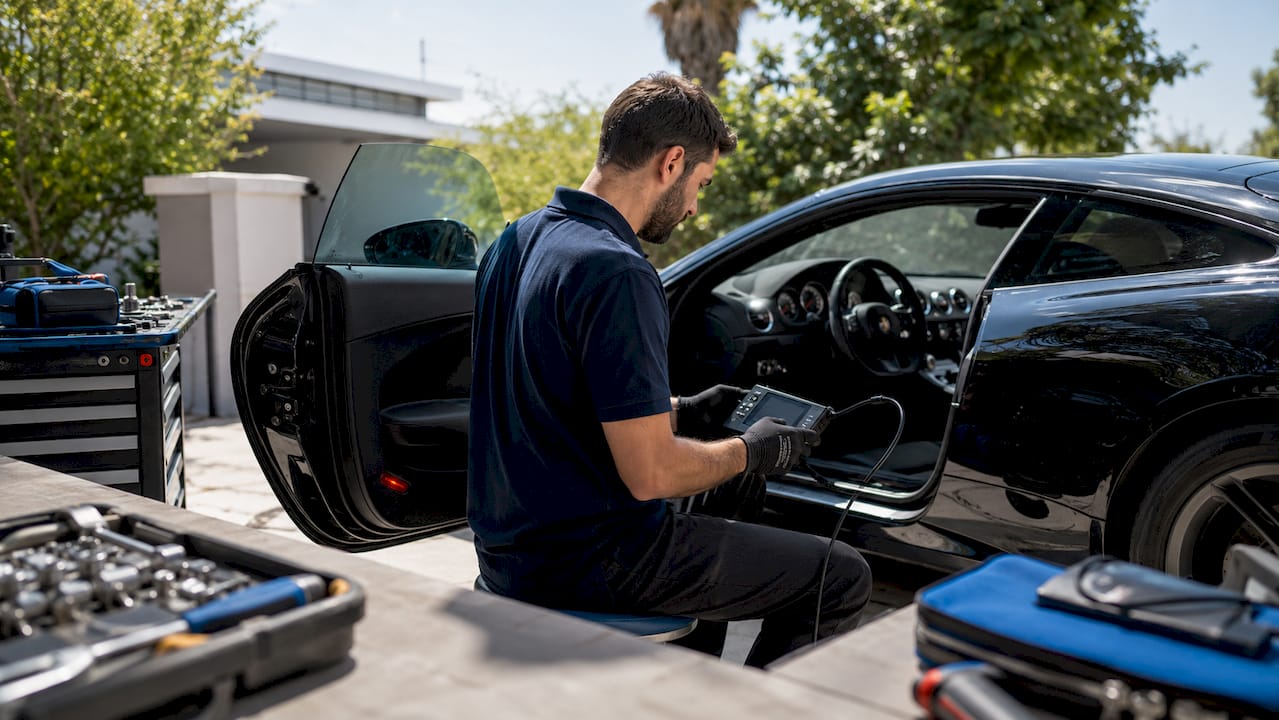
The Magic Motorsport remap workflow is a structured ECU and TCU calibration process that takes a vehicle from the original read to a verified, road-tested result. Using the Magic Motorsport FLEX system, a professional workshop moves through six controlled phases: vehicle diagnostics, ECU identification, original-file backup, calibration development, checksum-verified writing and live-data validation. The tool is important, but repeatability comes from the workflow around it. Stable voltage, correct protocol selection, file versioning and post-write testing are what prevent failed writes and unreliable calibrations.
What tools and preparations are required for a Magic Motorsport remap workflow?
The Magic Motorsport FLEX is a modular tuning system built around Flexbox hardware modules that enable OBD, Bench, and Boot programming across a wide range of vehicles and transmissions. That modular architecture means you activate only the protocols your workflow requires, which reduces complexity and licensing overhead. The FLEX software provides a technical interface favored for complex ECU and TCU tasks, including advanced transmission cloning protocols not available in simpler all-in-one tools.
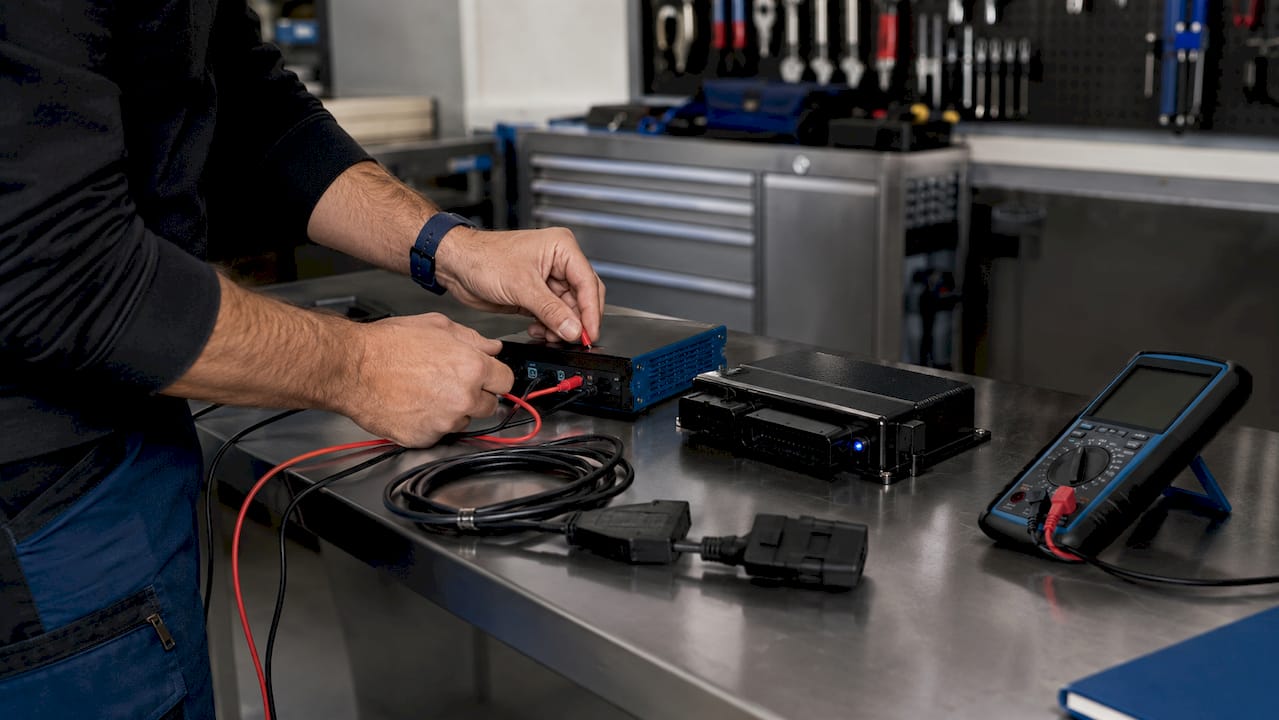
Before connecting to any vehicle, your workshop setup must meet specific requirements. A regulated power supply or battery support unit is non-negotiable. Voltage fluctuations during file writing are a leading cause of ECU corruption. You also need a current laptop running the latest FLEX software version, a valid license for the target ECU family, and a diagnostic scan tool to clear and read fault codes before and after the remap.
| Tool / Requirement | Fonction | Notes |
|---|---|---|
| Magic Motorsport FLEX unit | ECU reading and writing | Supports OBD, Bench, and Boot modes |
| Flexbox modules | Protocol-specific hardware interface | Activate only required protocols |
| FLEX software (latest version) | File management and ECU communication | Verify firmware match before starting |
| Battery support unit | Stable voltage during write phase | Minimum 13.5V recommended |
| Diagnostic scan tool | Fault code reading and adaptation reset | Required pre-remap and post-remap |
| Laptop with licensed FLEX account | Software interface and file storage | Dedicated tuning laptop preferred |
Astuce de pro : Always verify that your FLEX firmware and FLEX software versions match before starting a session. A version mismatch is one of the most common causes of failed reads on otherwise healthy ECUs.
Tuning workshops that adopt controlled in-house processes report measurably higher repeatability and fewer failed writes compared to workshops that skip formal preparation steps. Preparation is not overhead. It is the foundation of a reliable result.
Step-by-step ECU remapping process with Magic Motorsport FLEX
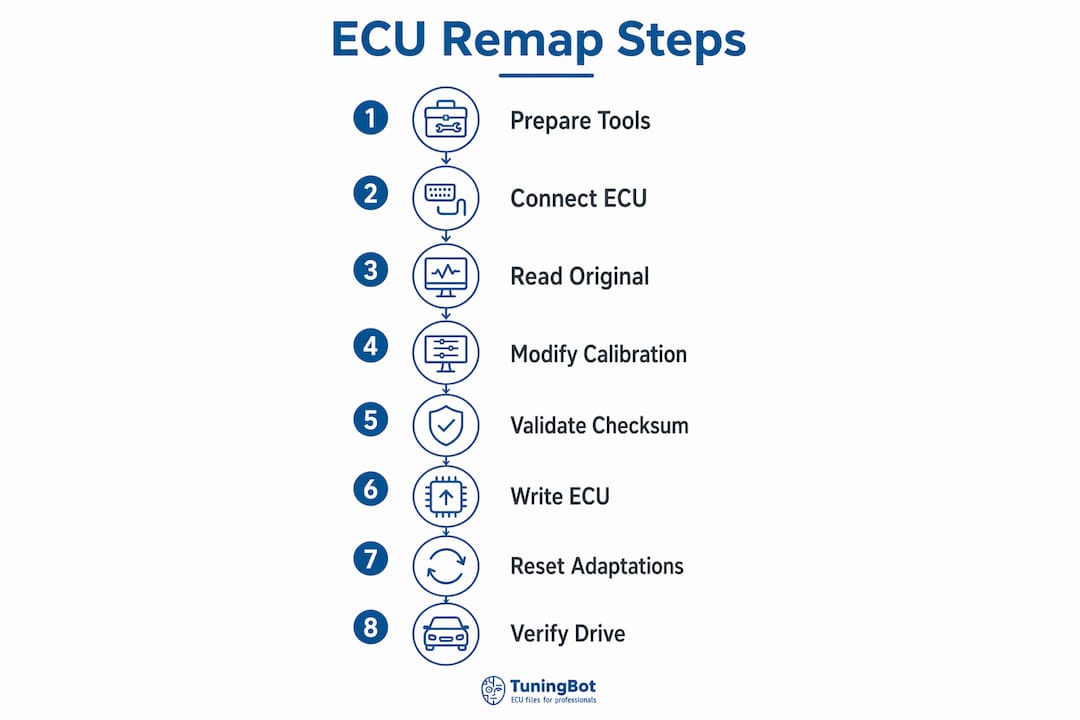
A disciplined ECU tuning process follows six defined stages. Skipping any stage increases the risk of ECU damage, unresolved fault codes, or tuning that fails to meet performance targets.
Initial vehicle health check and fault code scan. Connect your diagnostic tool and read all stored and pending fault codes. Address any pre-existing faults before touching the ECU. Remapping a vehicle with active faults produces unreliable results and complicates post-remap diagnostics.
ECU identification and original file reading. Connect the FLEX unit using the appropriate mode: OBD for supported vehicles, Bench for ECUs requiring direct connection, or Boot mode for locked or protected units. Read the original ECU file and verify the read is complete and uncorrupted. Backing up the original file to a secure, labeled location is mandatory before any calibration work begins. This backup enables a full rollback if the tuned file causes issues or if the customer requests a return to stock.
Calibration development and custom map tuning. Open the original file in your calibration software. Adjust fuel maps, boost targets, torque limiters, and ignition timing based on the engine specification, hardware modifications, and the customer’s performance objectives. For DSG or TCU tuning, adjust shift points and torque thresholds to match the engine output. Reference the Guide des techniques de l'ECU remapping from TuningBot for current best practices on map structure and safe calibration limits.
Writing the tuned file with checksum validation. Before writing, confirm battery voltage is stable. Load the tuned file into FLEX software and run checksum verification. A checksum mismatch at this stage means the file has an error that will cause the ECU to reject it or behave unpredictably. Checksum errors and unstable writes are the two most common causes of write failures. Correct the checksum, confirm voltage, and write the file without interruption.
Post-write scanning and adaptation reset. After writing, reconnect your diagnostic tool and scan for new fault codes. Throttle position and boost control adaptations must be reset so the ECU can relearn its operating parameters under the new calibration. Skipping this step causes rough idle, hesitation, and boost instability in the first drive cycles.
Road test and live data validation. Drive the vehicle under controlled conditions across the full RPM range. Monitor boost pressure, lambda values, ignition timing, and torque delivery in real time. Compare actual values against the targets set in the calibration. For track-focused builds, review the remap impact on performance driving to confirm the calibration meets the intended use case.
Astuce de pro : Create a version-controlled folder for every job: store the original read, each calibration revision, and the final written file separately. Label files with the vehicle registration, ECU part number, and date. This practice saves hours when a customer returns for a revision or reports an issue weeks later.
Common troubleshooting issues in the ECU remapping process
ECU read and write failures are the most disruptive problems in any remapping workflow. The root causes are almost always the same: unstable power, wrong protocol selection, or a firmware mismatch between the FLEX unit and the target ECU.
Checksum mismatch after calibration. The tuned file contains a calculated value that must match the ECU’s expected checksum. Any manual edit to the binary without updating the checksum produces a mismatch. Use dedicated checksum correction tools and verify the result before writing. TuningBot’s Guide de correction checksum covers the correction process for major ECU families including Bosch, Marelli, and Delphi.
ECU read failure in OBD mode. This usually indicates a protocol incompatibility or a communication fault on the vehicle’s OBD bus. Switch to Bench mode if OBD fails. Check the vehicle’s CAN bus for faults before assuming the FLEX unit is at fault.
Write interruption mid-process. A dropped USB connection or a voltage dip during writing can leave the ECU in a partially written state. Some ECUs recover with a retry; others require Bench or Boot mode recovery. Stable power supply is the single most effective prevention measure.
Fault codes after remapping. New DTCs after a write often point to adaptation values that were not reset. Clear codes, reset adaptations, and complete a full drive cycle before diagnosing further.
Boost or fueling instability on first drive. This is almost always an adaptation issue, not a calibration error. Allow the ECU to complete its relearn cycle before making map adjustments.
Safety and equipment care: Never attempt a Boot mode operation without confirming the correct pinout for the specific ECU hardware revision. Incorrect Boot connections can permanently damage the ECU processor. When in doubt, consult the FLEX software’s ECU database or contact technical support before proceeding. Equipment care extends to the FLEX unit itself: store it in a dry environment, keep firmware current, and inspect cables before each session.
When standard troubleshooting steps do not resolve a fault, the correct response is to restore the original file and seek advanced diagnostic support rather than attempt repeated writes on a potentially damaged ECU. Plug-and-play tuning without workshop-controlled diagnostics produces unreliable outcomes, and live data testing is the only reliable way to confirm a remap is functioning correctly.
How do you verify remap success with Magic Motorsport tools?
Verification is not optional. A file that writes without error is not the same as a calibration that performs correctly. The FLEX software’s diagnostic modules provide live sensor data during road testing, giving you real-time visibility into boost pressure, lambda, rail pressure, and torque delivery.
The most effective validation method combines live data logging during a controlled road test with a post-drive ECU scan. Driving under controlled conditions after remapping confirms that boost targets, torque delivery, and fueling values match the calibration intent in real-world scenarios, not just on the bench.
| Méthode de validation | What it checks | Effectiveness |
|---|---|---|
| Live data logging (road test) | Boost, lambda, timing, torque vs. targets | High: confirms real-world performance |
| Post-remap ECU scan | New fault codes, adaptation status | High: catches write errors and DTC triggers |
| Adaptation reset and relearn | Throttle, boost, and fueling relearn cycles | Medium: prevents false fault conditions |
| Bench test (pre-write) | Checksum integrity, file structure | High: prevents write failures |
| Dyno run (optional) | Measured power and torque output | Very high: quantifies performance gain |
Astuce de pro : Log a minimum of three full-throttle pulls during the road test and save the data files. If the customer reports a performance issue two weeks later, those logs give you a baseline to compare against and prove the calibration was correct at delivery.
For Marelli ECU applications, the Flux de travail Marelli ECU tuning from TuningBot provides additional validation steps specific to that ECU family, which overlap significantly with the FLEX verification process.
Points clés à retenir
A reliable Magic Motorsport remap workflow requires stable power, verified checksums, adaptation resets, and live data validation at every stage to produce safe and repeatable results.
| Point | Détails |
|---|---|
| Preparation is foundational | Verify FLEX firmware, software version, and battery voltage before every session. |
| Back up the original file | Store the original ECU read securely before any calibration work begins to enable rollback. |
| Checksum validation prevents write failures | Correct checksum errors before writing to avoid ECU rejection or unpredictable behavior. |
| Adaptation reset is mandatory | Reset throttle and boost adaptations after writing to prevent fault codes and instability. |
| Live data confirms calibration quality | Log boost, lambda, and torque during road testing to verify targets are met in real conditions. |
What we’ve learned from running this workflow at scale
The biggest inefficiency we see in professional workshops is not a technical failure. It is a process failure. Technicians skip the pre-remap fault scan because the customer says the car “runs fine,” then spend an hour diagnosing post-remap DTCs that were already present before the file was written. That single habit costs more time than any technical error.
The second pattern we observe is under-investment in version control. A workshop that labels files by vehicle model and date, without including the ECU part number or software revision, will eventually write the wrong file to the right car. It happens. The fix is a naming convention enforced across the whole team, not just the senior tuner.
We also think the industry underestimates how much the FLEX software’s modular design contributes to workflow reliability. Activating only the protocols you need for a given job reduces the surface area for errors. A tuner who works primarily on European diesel platforms does not need every available protocol active. Keeping the tool focused keeps the workflow clean.
The most important long-term habit is treating every remap as reversible. Original files stored securely and a clear rollback procedure protect both the technician and the customer. Speed matters in a commercial workshop, but not at the cost of a recoverable process.
— Équipe technique de TuningBot
How TuningBot supports the Magic Motorsport FLEX workflow
TuningBot fits directly into a Magic Motorsport FLEX workflow: the workshop reads the original ECU or TCU file, submits it for calibration and writes the returned file with the same professional tool. The platform supports Bosch, Continental, Delphi, Marelli, Denso, Siemens and ZF applications, with real engineer review for files that require vehicle-specific judgment.
Before ordering, workshops can check the Couverture des services liés aux calculateurs (ECU) et aux calculateurs de transmission (TCU), examiner Liste de prix publique et parcourir les offres disponibles Services de l'ECU. There is no prepaid credit wallet and no mandatory registration barrier.
When the original read and job information are ready, the workshop can upload the file directly. This keeps the FLEX operator in control of vehicle access and writing while TuningBot handles calibration, checksum review and technical support.
For technical reference, use the Guide des techniques de l'ECU remapping et le Guide de correction checksum.
FAQ
What is the Magic Motorsport FLEX used for in remapping?
The Magic Motorsport FLEX reads and writes ECU and TCU files using OBD, Bench, or Boot mode, depending on the vehicle and ECU type. Its modular Flexbox hardware supports a wide range of protocols across passenger cars, commercial vehicles, and transmissions.
Why does checksum validation matter before writing a remap file?
A checksum mismatch causes the ECU to reject the file or behave unpredictably after writing. Correcting the checksum before the write phase prevents failed flashes and potential ECU damage.
What adaptations need to be reset after a remap?
Throttle position learning and boost control adaptations must be reset after writing a new calibration. Skipping this step causes rough idle, hesitation, and boost instability during the first drive cycles.
How do you confirm a remap is working correctly after writing?
Live data logging during a controlled road test is the most reliable method. Compare actual boost, lambda, and torque values against the calibration targets to confirm the remap is performing as intended.
When should a technician use Boot mode instead of OBD?
Boot mode is required when OBD communication fails or when the ECU is locked against standard OBD access. Always verify the correct pinout for the specific ECU hardware revision before attempting a Boot mode connection.