
 EnglishEN
 ItalianoIT
 DeutschDE
 EspañolES
 FrançaisFR
 РусскийRU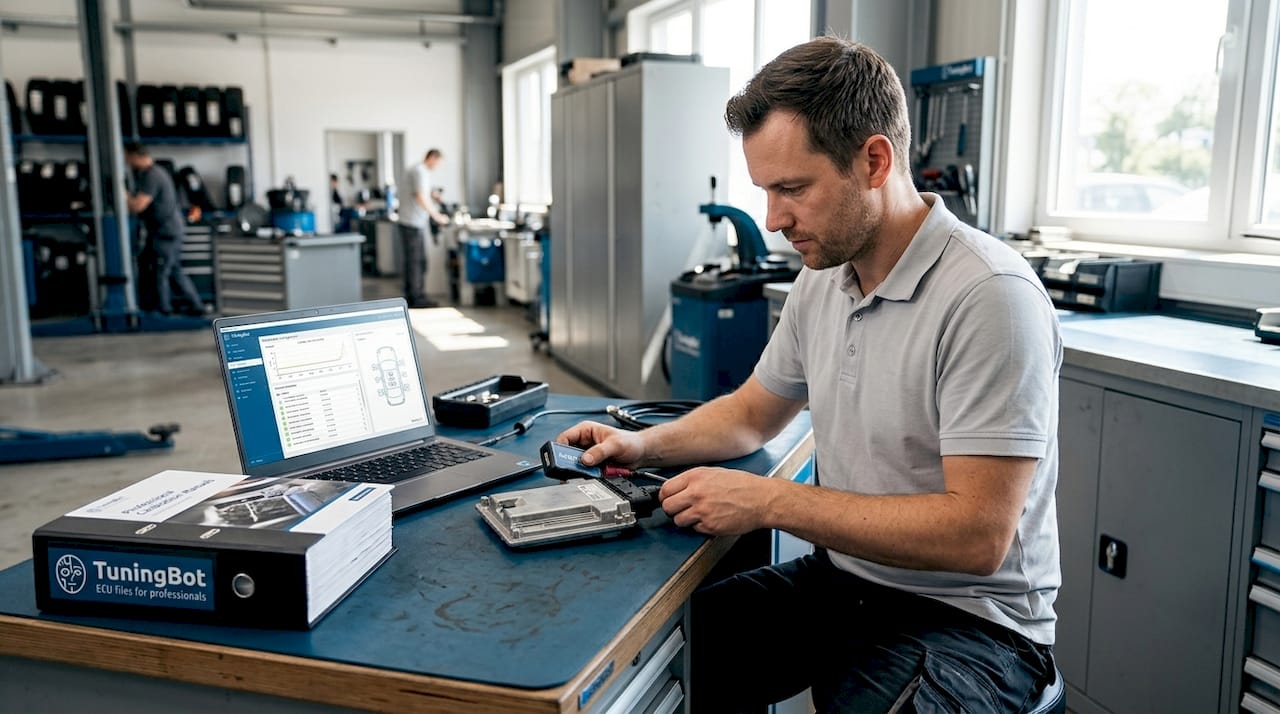
Uma ferramenta AutoTuner é definida como Programador universal para ECU/TCU que lê e escreve software de controle veicular via conexões OBD-II, bancada e boot para habilitar remap profissional da ECU e calibração. Oficinas automotivas tuning, técnicos móveis e especialistas em ECU utilizam essa ferramenta para ajustar os parâmetros do motor e da transmissão em uma ampla gama de veículos, desde carros de passeio da BMW e da Mercedes até máquinas agrícolas. Este guia aborda os principais recursos da ferramenta, as diferenças no fluxo de trabalho entre os modos Master e Slave, os métodos de conexão, o tratamento da criptografia e as etapas práticas que distinguem um ajuste correto de um erro que pode custar caro.
Cloning an ECU or DSG mechatronic on a VAG car? Send us the reads of both units and get the donor back with the immo data of your car, ready to start with the original keys — €69.99 per unit.
O que é uma ferramenta AutoTuner e para que serve?
A ferramenta AutoTuner é um dispositivo de programação de ECU e TCU de nível profissional, projetado para ler, gravar e clonar softwares de controle de veículos. Ela é compatível com o protocolo remapping para ganhos de desempenho, melhorias na economia de combustível e correções de calibração em centenas de famílias de ECUs listadas em Cobertura de serviço de ECU de fabricantes como Bosch, Continental, Delphi e Marelli. Oficinas de tuning e especialistas independentes confiam nele porque ele lida com o ciclo completo de leitura/gravação sem exigir hardware separado para cada plataforma de veículo.
O dispositivo se conecta a um veículo ou a uma ECU removida, extrai o conteúdo completo da memória e permite que um arquivo calibrado seja gravado de volta. Este processo abrange unidades de controle do motor e da transmissão, tornando-a uma das poucas ferramentas capazes de realizar a clonagem tanto da ECU remapping quanto da TCU em uma única unidade de hardware. Para oficinas que lidam com uma gama diversificada de veículos, essa ampla cobertura reduz diretamente os custos com equipamentos.
Principais recursos e capacidades do dispositivo AutoTuner
A especificação técnica do AutoTuner é construída em torno de velocidade, operação guiada e controle de custos a longo prazo. O processador Cortex M3 otimiza a velocidade de comunicação entre a ferramenta e a ECU, o que significa leitura mais rápida do conteúdo da memória em comparação com arquiteturas de hardware mais antigas. Leituras mais rápidas reduzem o risco de erros de comunicação durante a extração, o que é importante ao trabalhar em um veículo ativo com restrições de tempo.
As principais funcionalidades incluem:
- Conexões OBD-II, de bancada e boot mode cobrindo toda a gama de cenários de acesso à ECU
- Correção automática de checksum embutido no software, reduzindo erros manuais durante a preparação de arquivos
- Criação de backup no momento da leitura, preservando a calibração original de fábrica antes de qualquer certificação
- Instruções de software guiadas com referências de imagem que orienta os técnicos em cada etapa de conexão
- Tratamento de criptografia para fluxos de trabalho de arquivos Slave, com descriptografia gerenciada pelo Master vinculado
- Sem taxas de assinatura, com atualizações de software e garantia vitalícias incluídas no preço de compra
O fato de o model não exigir assinatura representa uma diferença financeira significativa. Ferramentas que cobram taxas de assinatura geram custos operacionais que se acumulam ao longo dos anos de uso. A compra única do AutoTuner, com atualizações vitalícias, significa que o custo total de propriedade permanece previsível, o que é importante para oficinas que calculam o retorno sobre o investimento em várias aquisições de ferramentas. Para o planejamento de serviços, compare as margens dos serviços com o Lista oficial de preços de remap de ECU.
Dica de Mestre: Antes de conectar a qualquer ECU, confirme se o software carregou o perfil do veículo e o diagrama de conexão corretos. As indicações visuais guiadas na interface do AutoTuner existem por um motivo. Ignorá-las em um veículo conhecido é onde ocorrem erros de fiação.
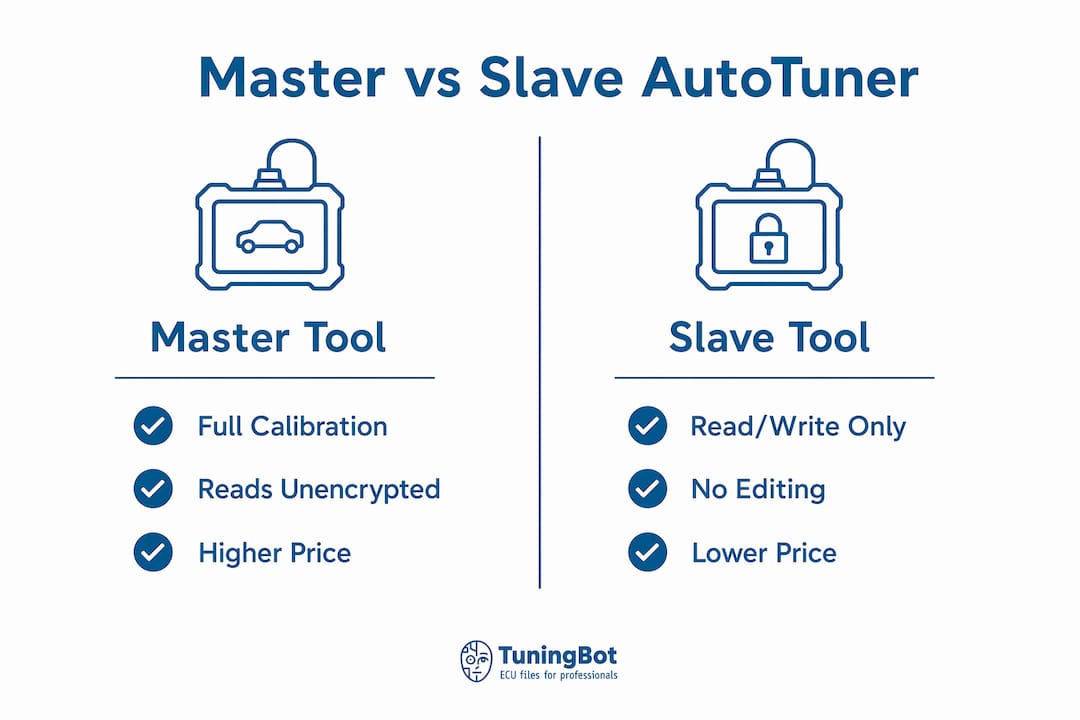
Como as ferramentas Master e Slave AutoTuner diferem?
A distinção entre Master e Slave é a escolha de projeto mais significativa do ponto de vista operacional no ecossistema do AutoTuner. As variantes Master e Slave diferem no que diz respeito à criptografia: uma ferramenta Master lê e grava arquivos não criptografados, proporcionando ao operador acesso total aos mapas de calibração modify diretamente por meio de softwares de terceiros, como o WinOLS. Uma ferramenta Slave lê arquivos criptografados com uma chave que só pode ser descriptografada pelo provedor Master vinculado, o que significa que o usuário da ferramenta Slave não pode editar mapas localmente.
O fluxo de trabalho padrão do Slave segue cinco etapas:
- Selecione a marca do veículo, model, e o tipo de ECU no software AutoTuner
- Conecte-se pelo método apropriado (OBD, bancada ou porta-malas) e leia o arquivo da ECU original
- Salve o arquivo criptografado como backup antes de enviá-lo para qualquer lugar
- Envie o arquivo criptografado ao provedor Master vinculado para a calibração modification
- Receba o arquivo modificado e grave-o novamente na ECU usando a ferramenta Slave
Este model define responsabilidades claras. O operador do Slave lida com o processo físico de leitura/gravação e com o relacionamento com o cliente. O Master é responsável pela parte técnica da calibração. A criptografia garante que apenas os provedores autorizados pode modificar os dados de calibração do motor, o que protege a propriedade intelectual do Master e impede a distribuição não autorizada de mapas.
Master vs. Slave Comparação
| Recurso | Ferramenta Master | Ferramenta Slave |
|---|---|---|
| Preço aproximado (ex. IVA) | ~€4,900 | ~€2,900 |
| Formato do arquivo na leitura | Não criptografado | Criptografado (bloqueado por Master) |
| Pode editar mapas de calibração localmente | Sim, via WinOLS ou equivalente | Não, requer provedor Master |
| Adequado para | Especialistas em tuning, desenvolvedores de arquivos | Oficinas, técnicos móveis |
| Dependência de terceiros | Nenhum | Dependente do Master vinculado |
O diferença de preço entre Master e Slave reflete a diferença de capacidade. Uma oficina que se dedica principalmente à instalação de programas, em vez de desenvolvê-los, considerará a ferramenta Slave suficiente e mais econômica. Um especialista que esteja construindo um negócio baseado em arquivos tuning precisa da ferramenta Master.
Quais métodos de conexão o AutoTuner suporta?
Existem três métodos de conexão para as operações do AutoTuner: conexão direta pela porta OBD-II, programação em bancada por meio dos pinos da ECU e boot mode para ECUs bloqueadas ou inacessíveis. Cada método tem casos de uso específicos, e a escolha do método de conexão afeta significativamente o nível de desmontagem necessário e a viabilidade do tuning em determinadas ECUs.
- Conexão OBD-II é o método mais comum. A ferramenta se conecta diretamente à porta de diagnóstico do veículo, sem a necessidade de desmontagem. Ela funciona na maioria dos veículos antigos e modernos nos quais a ECU não possui proteção contra gravação no nível de hardware.
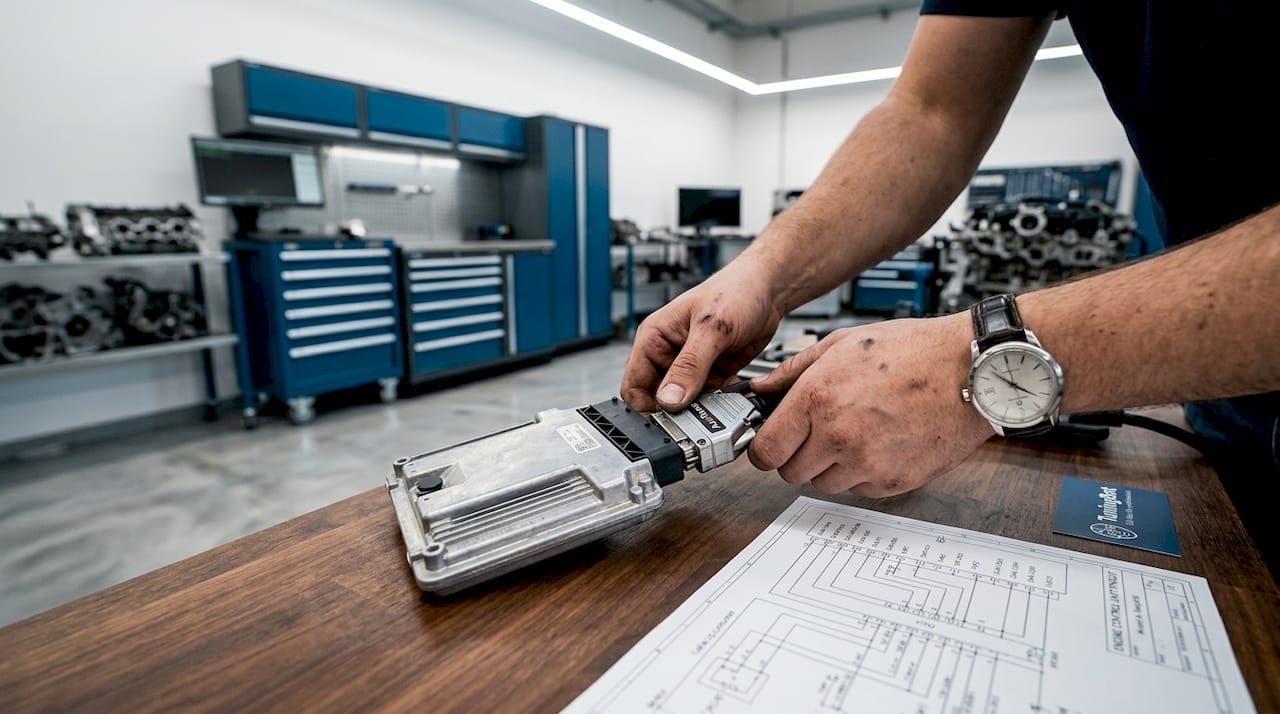
- Programação de banco requer a remoção da ECU do veículo e a conexão direta aos seus pinos ou conector. Este método oferece acesso total à memória e é utilizado quando o acesso OBD é restrito ou quando uma leitura mais aprofundada é necessária para operações de clonagem ou recuperação.
- Boot mode É utilizado quando o acesso via OBD é insuficiente devido aos mecanismos de proteção da ECU. Envolve a conexão a pinos de inicialização específicos na placa de circuito da ECU, o que muitas vezes exige a desmontagem parcial da carcaça da ECU. O Boot mode extrai todo o conteúdo da memória, incluindo áreas que os protocolos OBD não conseguem acessar.
A implicação prática é que o OBD abrange a maior parte do trabalho cotidiano com remapping, enquanto os testes em bancada e boot mode são reservados para ECUs protegidas, cenários de recuperação ou trabalhos de clonagem completa. Planejar qual método uma ECU específica requer antes que o veículo chegue à oficina evita atrasos e desmontagens desnecessárias.
Dica de Mestre: Verifique o banco de dados de veículos do AutoTuner e o Cobertura do serviço de ECU TuningBot antes de agendar um serviço. Algumas ECUs só são compatíveis com o banco de testes ou com o boot mode, e o cliente precisa saber com antecedência que a ECU será removida. Descobrir isso no momento da conexão faz com que se perca tempo e prejudica a confiança do cliente.
Como a criptografia e o desbloqueio da ECU afetam os fluxos de trabalho do tuning
Os arquivos criptografados do Slave têm uma finalidade definida: impedem que o operador do Slave acesse ou distribua os dados brutos de calibração desenvolvidos pelo Master. A criptografia model limita os usuários do Slave à função física de leitura/gravação, mantendo o desenvolvimento do mapa sob o controle do Master. Isso não representa uma limitação para a maioria das oficinas. Trata-se de uma divisão deliberada de tarefas que protege o ecossistema de arquivos tuning.
Algumas ECUs apresentam um problema totalmente diferente. Certos veículos saem da fábrica com ECUs que são bloqueadas por hardware contra acesso externo de leitura/gravação, tornando as conexões OBD, de bancada e de boot insuficientes. Para esses casos, a AutoTuner oferece um serviço de Desbloqueio por Envio. O Fluxo de trabalho para Desbloqueio por Correio segue um processo estruturado:
- Comprar o serviço de desbloqueio para a ECU específica
- Remova a ECU do veículo
- Envie a ECU para a equipe técnica da AutoTuner
- AutoTuner realiza o procedimento de desbloqueio de hardware
- A ECU é devolvida e reinstalada no veículo
- A ECU agora está acessível para operações padrão de leitura/gravação usando ferramentas AutoTuner
Este serviço é obrigatório para ECUs nas quais não existe uma rota de desbloqueio baseada em software. À medida que a segurança OEM segurança em veículos mais novos aumenta, a frequência com que se encontram ECUs bloqueadas também está crescendo. Os serviços de desbloqueio por correio permitem o acesso a hardware que, de outra forma, seria completamente inacessível, tornando-os uma parte essencial da capacidade de atendimento de uma oficina profissional, e não apenas um caso isolado.
Melhores práticas e erros comuns ao usar ferramentas de AutoTuner
O passo mais importante em qualquer fluxo de trabalho do AutoTuner é ler e fazer backup do Arquivo ECU original antes de gravar quaisquer dados modificados. Esse backup é a única opção de recuperação caso um arquivo modificado cause problemas de dirigibilidade ou se o cliente solicitar o retorno às configurações de fábrica. Ignorar ou apressar essa etapa é a causa mais comum de problemas graves no trabalho com ECUs remapping.
Diretrizes práticas para operações limpas do AutoTuner:
- Sempre verifique o tamanho do arquivo de backup e a integridade imediatamente após a leitura. Um backup truncado ou corrompido é inútil no momento em que você mais precisa dele.
- Use a correção automática checksum do AutoTuner em vez de ajustar manualmente os checksums. As instruções guiadas do software cuidam disso de forma confiável e reduzem o risco de gravar um arquivo com checksums inválidos, o que poderia impedir a inicialização da ECU.
- Confirme se o método de conexão atende aos requisitos da ECU antes de iniciar uma leitura. Tentar realizar o OBD em uma ECU destinada exclusivamente ao uso em bancada é uma perda de tempo e pode acionar bloqueios do tipo segurança em algumas plataformas.
- Para usuários do Slave, nunca modifiquem o arquivo criptografado antes de enviá-lo ao Master. Qualquer alteração nos dados criptografados invalidará o arquivo e exigirá uma nova leitura.
- Identifique e arquive todos os arquivos original com o número VIN do veículo, o número de peça da ECU e a data. Essa prática protege tanto a oficina quanto o cliente ao longo da vida útil do veículo.
Dica de Mestre: Após gravar um arquivo modificado, faça uma leitura da ECU e compare-a com o arquivo que você gravou. Isso confirma que a gravação foi concluída corretamente e que a ECU aceitou a nova calibração. O processo leva dois minutos e elimina uma categoria significativa de chamadas de diagnóstico pós-ajuste.
Pontos-chave
A arquitetura Master/Slave da ferramenta AutoTuner, combinada com o suporte de conexão OBD, banco e boot, a torna uma das plataformas de programação de ECUs mais flexíveis operacionalmente disponíveis para oficinas profissionais em 2026.
| Ponto | Detalhes |
|---|---|
| Programação Universal de ECU/TCU | O AutoTuner lê e grava unidades de controle do motor e da transmissão em centenas de plataformas de veículos. |
| Distinção Master vs. Slave | Os Master editam arquivos não criptografados localmente; os Slave dependem de um Master vinculado para todas as modificações de calibração. |
| Três métodos de conexão | OBD, bancada de testes e boot modes abrangem toda a gama, desde os simples remaps até a recuperação de ECUs bloqueadas. |
| Backup antes de cada gravação | É obrigatório ler e salvar o arquivo original antes de qualquer modificação, a fim de preservar a calibração de fábrica. |
| Desbloqueio por correio para ECUs bloqueadas | ECUs com bloqueio de hardware exigem envio físico para a AutoTuner para desbloqueio antes que o acesso de leitura/gravação seja possível. |
Por que o Master/Slave model é mais inteligente do que parece
Na primeira vez que você se depara com a estrutura Master/Slave do AutoTuner, ela pode parecer uma restrição desnecessária. Depois de trabalhar com ela, a lógica fica clara. A criptografia model não é apenas uma forma de proteção à propriedade intelectual dos desenvolvedores de arquivos. Ela cria uma cadeia de responsabilidade definida que, na verdade, torna as oficinas mais confiáveis, e não menos.
Um operador de workshop “Slave” sabe exatamente o que sua ferramenta pode e não pode fazer. Ele não se sente tentado a fazer edições ad hoc nos mapas sem o conhecimento de calibração necessário para respaldá-las. O provedor Master, por sua vez, tem interesse direto na qualidade de cada arquivo que envia, pois sua reputação está ligada a cada ajuste que seus Slave instalam. Essa estrutura produz resultados melhores do que uma situação de “vale tudo”, em que qualquer pessoa com acesso ao hardware pode alterar os mapas de calibração.
A área que estou acompanhando mais de perto no momento é a escalada da ECU segurança em plataformas mais recentes. As medidas antialteração dos fabricantes originais (OEM) em veículos a partir de 2022 são significativamente mais rigorosas do que aquelas com as quais as oficinas lidavam há cinco anos. O serviço de desbloqueio por correspondência não é mais uma oferta de nicho. Para oficinas que atendem veículos europeus e asiáticos das séries tuning até o final da model, ele está se tornando parte padrão do fluxo de trabalho. Investir em um ecossistema de ferramentas que ofereça uma solução confiável para ECUs com bloqueio de hardware não é um planejamento opcional. É a realidade operacional atual.
Para os recém-chegados que estão decidindo entre os pontos de partida Master e Slave, a ferramenta Slave, a aproximadamente € 2.900, é a posição inicial correta, a menos que você já esteja desenvolvendo seus próprios arquivos de calibração. Construa primeiro a competência do fluxo de trabalho físico. A Técnicas da ECU remapping de 2026 A opção para operadores Slave é sofisticada o suficiente para construir um negócio sério. A capacidade de nível Master é uma progressão natural, não um pré-requisito.
— Bimmer
Leve seu fluxo de trabalho do AutoTuner ainda mais longe com o TuningBot
O TuningBot oferece arquivos profissionais para ECU e TCU remapping, totalmente compatíveis com o hardware AutoTuner, abrangendo Stage 1 através de otimizações de desempenho Stage 3, DPF Off, EGR Off, AdBlue/SCR Off, calibração DSG/TCU, e mais, em famílias de ECUs Bosch, Continental, Delphi, Marelli e Denso. Nenhum registro ou créditos pré-pagos são necessários. Faça o upload do seu arquivo lido, receba uma saída calibrada de um engenheiro qualificado e a escreva de volta com sua ferramenta AutoTuner.
TuningBot's Serviço de arquivos de remap de ECU é construído para oficinas que precisam de entrega rápida e qualidade de arquivo verificada. Verifique o soluções atualizadas 2026 para conhecer as versões mais recentes do integr que são compatíveis e a cobertura de veículos recém-adicionada, que se alinha diretamente ao banco de dados de ECUs em expansão do AutoTuner.
PERGUNTAS FREQUENTES
Uma ferramenta AutoTuner é usada em trabalhos automotivos para recalibrar e otimizar a unidade de controle do motor (ECU) de um veículo. Isso é feito modificando o software da ECU para ajustar vários parâmetros do motor, como injeção de combustível, tempo de ignição e pressão de turbo. O objetivo principal é melhorar o desempenho do motor, a eficiência de combustível e a capacidade de resposta.
A ferramenta AutoTuner é utilizada para ler e gravar o software da ECU e da TCU em veículos, com o objetivo de melhorar o desempenho (remapping), a economia (tuning) e corrigir calibrações. Ela é compatível com os métodos de conexão OBD-II, em bancada e no compartimento do motor em centenas de plataformas de ECU.
Qual é a diferença entre um Master e um Slave AutoTuner?
Uma ferramenta Master lê arquivos não criptografados e permite a edição direta do mapa de calibração usando softwares como o WinOLS, enquanto uma ferramenta Slave lê arquivos criptografados que somente a ferramenta Master vinculada pode decifrar. Os usuários da ferramenta Slave são responsáveis pelo processo físico de leitura e gravação; os usuários da ferramenta Master são responsáveis pelo desenvolvimento da calibração.
Preciso remover a ECU para usar uma ferramenta AutoTuner?
Nem sempre. A conexão OBD-II não requer desmontagem e abrange a maioria dos serviços padrão do remapping. Os serviços em bancada e do boot mode exigem a remoção da ECU e são utilizados quando o acesso ao OBD é restrito ou quando a ECU possui proteção de hardware.
O que acontece se uma ECU for bloqueada por hardware contra o acesso do AutoTuner?
ECUs com travamento de hardware exigem o serviço de envio para desbloqueio da AutoTuner, que envolve a remoção da ECU, o envio para a equipe da AutoTuner para desbloqueio físico e a reinstalação antes que as operações padrão de leitura/gravação possam prosseguir.
É realmente necessário fazer um backup do arquivo original da ECU antes do tuning?
Sim. Ler e salvar o arquivo original da ECU antes de gravar quaisquer dados modificados é a única forma de recuperação caso um ajuste cause problemas ou o cliente solicite o retorno às configurações de fábrica. A própria documentação do AutoTuner indica isso como uma etapa imprescindível em todo fluxo de trabalho remapping.
Recomendado
- Como um Preparador Profissional Lê Dados da ECU
- Cobertura do serviço de ECU
- Serviços de ECU: remap, emissões, câmbio e diagnóstico
- Lista oficial de preços de remap de ECU
- FAQ TuningBot: Reprogramação de ECU, Ferramentas
- Guia de Correção de Checksum de Arquivo ECU
- Atualização do TuningBot Solutions: Novidades e novas configurações compatíveis com o Integr
- Blog de remap da ECU | Dicas, guias e notícias - TuningBot