EnglishEN
 ItalianoIT
 EspañolES
 PortuguêsPT
 FrançaisFR
 РусскийRU
Fleet remap file management is the process of keeping source files, ECU/TCU identification, revisions, programming records and validation data tied to the correct vehicle throughout a multi-vehicle calibration workflow. The goal is not to force one universal checksum, backup or rollback rule onto every ECU. It is to make every file traceable, every write reproducible, and every recovery path dependent on the exact tool and protocol being used.
- Confirm the exact vehicle, ECU/TCU hardware and software IDs, and source-file type before editing or writing.
- Preserve the original or source file supplied by the supported read/virtual workflow and keep it separate from working revisions.
- Record the tool, protocol, read type, date and job reference for every vehicle.
- Define the validation plan before calibration changes are released.
- Use the checksum/signature/integrity process required by the exact ECU and write method rather than a generic file hash rule.
- Document the recovery or restoration procedure supported by the tool; do not assume every ECU has a separate rollback file.
Platforms like TuningBot build this discipline into the order workflow itself, which matters once you’re running five or fifty fleet vehicles through the same bay in a week.
Fleet Remap File Management: Key Takeaways
Reliable fleet remap file management depends on exact file identity, revision control, protocol-aware integrity handling and vehicle-specific validation.
| Punkt | Einzelheiten |
|---|---|
| Identify before writing | Match vehicle, ECU/TCU hardware/software, tool workflow and source file to the job record. |
| Separate source and working files | Never overwrite the source file; keep every released revision uniquely identified. |
| Integrity is ECU-specific | Checksum, signature, encryption and Master/Slave handling depend on the exact protocol. |
| Validate from measured data | Use DTCs and logs appropriate to the engine, gearbox and calibration scope. |
| Recovery is protocol-specific | Document the restore/recovery procedure supported by the flashing tool instead of assuming a universal rollback file. |
| Fleet scale needs traceability | Record which calibration revision is installed on each vehicle and when it was validated. |
Fleet Remap File Management: End-to-End Workshop Workflow
Fleet remap file management becomes more important as more technicians and vehicles are involved. The aim is to reduce file-matching and revision errors without pretending that every ECU uses the same read, write or recovery process.
- Intake: record vehicle, engine, gearbox, ECU/TCU IDs, tool/read method, faults and requested calibration.
- Source file: preserve the original, virtual, encrypted or server-supplied source file used by the supported workflow.
- Working revision: edit or submit only a clearly versioned copy tied to the correct job.
- Pre-write check: confirm control-unit identity, file type, tool protocol and required integrity handling.
- Write: program only with the method supported by the identified ECU/TCU and tool.
- Validate: scan DTCs and collect the logs/testing appropriate to the calibration scope.
- Release: record the installed revision, date, tool/protocol and validation result.
For batch work, define who owns intake data, calibration, write approval and final validation. A second-person review can reduce mistakes on high-volume jobs, but staffing structure should match the workshop’s size.
Pro-Tipp: Make a dual-check of ECU ID and VIN mandatory before any write, even on repeat customers. Fleet vehicles with sequential VINs and identical trim levels are the easiest way to flash the wrong van, and it happens more often on “routine” jobs than complex ones.
Which Tools and ECU/TCU Brands Should a Workshop Support?
Tool choice should follow the exact ECU/TCU protocol coverage needed by the fleet. No workshop needs every tool category, and no single flasher is automatically best for OBD, Bench, Boot and logging across all platforms.
- Choose tools from the fleet’s actual ECU/TCU protocol requirements rather than brand popularity.
- Confirm OBD, Bench, Boot, virtual-read and recovery support separately for each control unit.
- Document Master/Slave relationships and encrypted file workflows before outsourcing calibration.
- Use diagnostic/logging tools that expose the channels needed for post-write validation.
- Keep tool software, protocol licenses and connection documentation current.
TuningBot documents compatibility notes across all of these, which saves a technician the trial-and-error of matching tool to ECU generation on a job that’s already on the lift.
Vendor behavior varies enough to matter. Bosch und Kontinentale units often carry the tightest checksum validation, so file corruption shows up immediately on write rather than in the field. Delphi und Marelli ECUs common on European diesel platforms frequently need bench access for early boot-protected models. Denso und Siemens units on Asian-market platforms sometimes require region-specific firmware paths that differ from their European variants. Keihin und ZF components, especially ZF transmission control units, need careful handling of adaptation values during TCU remaps to avoid harsh shift behavior post-write.
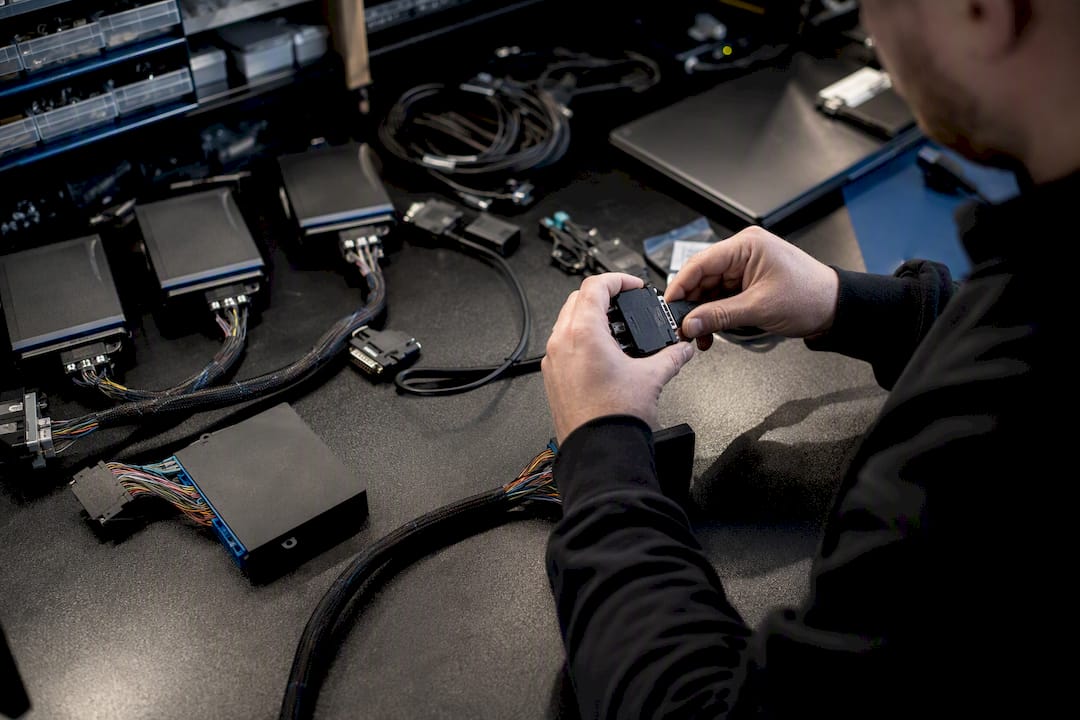
Pro-Tipp: Stabilize power supply before any bench read or write, use proper ISP wiring rather than clip-on adapters where the ECU supports it, and always confirm IMMO/anti-theft pairing status before disconnecting a unit. A dropped connection mid-write on an unstable 12V supply is the fastest way to brick a fleet ECU.
How to Validate Fleet Remap Files Before Release
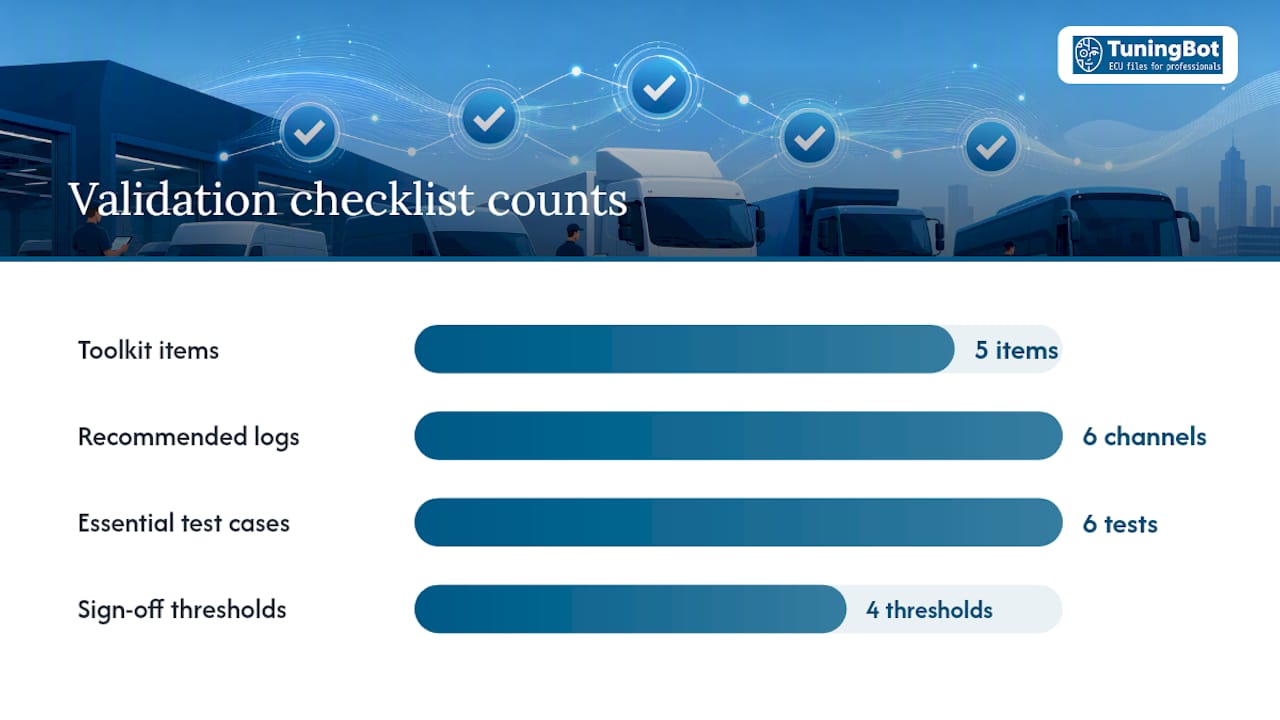
A successful write is only one step. Validation should confirm the areas affected by the calibration through DTC checks and the logging or controlled testing appropriate to the vehicle.
- Confirm no unexplained new DTCs after programming.
- Compare requested and measured torque/load where the ECU exposes useful channels.
- Validate lambda/fuel pressure/airflow/boost only where relevant to the modified calibration.
- Review knock or combustion-quality data on spark-ignition applications where available.
- Check gearbox torque intervention, temperatures and shift behavior when TCU interaction is relevant.
- Repeat testing under representative fleet duty rather than relying on one short drive.
Logging channels depend on the engine and calibration, but commonly include torque/load, MAP/boost, lambda, fuel pressure, temperatures and gearbox data where relevant.
- Define the acceptance criteria for the exact vehicle and calibration before testing.
- Run low- and part-load checks first and confirm the vehicle is stable.
- Proceed to higher load only when diagnostics and conditions make it safe.
- Record the final DTC/log result together with the installed file revision.
Dyno testing is useful where controlled load and measured output are required; road or duty-cycle logs can be more representative for some fleet applications. Not every fleet remap requires both methods.
Fleet Remap File Management: Naming, Versioning and Security
Good fleet remap file management uses consistent naming and revision control to reduce the risk of applying the wrong file to the wrong vehicle. Cryptographic hashes can support archive integrity, but they are separate from the ECU’s internal checksum/signature requirements.
VIN_ECUID_YYYYMMDD_ENGINITIALS_v02.bin
A structured filename can help, but the job-management record should remain the authoritative link between vehicle, ECU/TCU identity and revision.
- Preserve the source file exactly as received/read; never edit it in place.
- Use unique job/revision identifiers for every working and released file.
- Record ECU/TCU hardware/software IDs and tool/read type outside the filename as structured job data.
- Use SHA-256 or another hash if the workshop wants archive-integrity verification; do not confuse it with ECU checksum/signature correction.
- Restrict write access to released files and keep backups according to workshop policy.
Set backup, retention and access-control rules appropriate to the workshop. Source files and released revisions should be recoverable without giving every user unrestricted write access.
Pro-Tipp: Never deliver files over consumer email. Use a secure upload/download channel and strip unnecessary metadata before sharing, since a stray file path or customer name embedded in a delivered archive is an easy privacy leak on a multi-vehicle fleet order.
What Belongs in the Client Handoff Package?
A professional handoff should provide the file and enough job information to identify the revision and requested service. Checksums, change logs, test logs, instructions and support notes are useful where the provider/workshop workflow actually supplies them, but they are not universal mandatory attachments.
- Final calibration file or delivery reference.
- Vehicle/job and ECU/TCU identification.
- Installed revision/date and programming tool/protocol.
- Requested calibration scope and relevant hardware notes.
- Validation result or log reference where applicable.
- Provider/workshop support or recovery instructions where the workflow supplies them.
Document the job scope and customer/fleet approval, but do not treat consent as a substitute for legal compliance or technical suitability.
rules on emissions-related modifications vary by jurisdiction and fall outside what any workshop can guarantee on a customer’s behalf. For fleet accounts, define an escalation path in advance: same-day rollback support and a named engineer contact for urgent issues, not a generic support inbox.
Quick QA Checklist for Scaling Remap Production
Paste this into your job card system as a standing checklist:
- Vehicle + ECU/TCU IDs confirmed against the job.
- Source file preserved and release revision uniquely identified.
- Tool/protocol/file type confirmed before write.
- Required checksum/signature/integrity handling completed by the supported workflow.
- Post-write DTC and validation checks completed.
- Installed revision and outcome recorded per vehicle.
At higher volume, group jobs by compatible ECU/TCU workflow where practical, but keep each vehicle’s source file, software ID and release revision individually traceable.
Pro-Tipp: Log every technician action against the order, not just the final result. A platform like TuningBot’s order system tracks owner and history automatically, which matters the day a fleet client asks who touched van 9 and when.
How Do Fleet Managers, Technicians, and Drivers Stay Coordinated?
Fleet managers, technicians and drivers each need different information: schedule and downtime, technical job status, and expected drivability or reporting instructions.
How Do You Optimize Remap Configurations Across Different Fleet Vehicle Types?
Fleet calibrations should be grouped by compatible hardware/software and duty cycle rather than assuming one strategy fits delivery vans, trucks and passenger vehicles alike.
ZF or similar automatic transmissions need TCU adaptation values reviewed carefully after a remap, since shift points calibrated for stock torque curves can produce harsh or delayed shifts once torque delivery changes. Manual-gearbox fleet vehicles avoid that specific risk but need driver communication about altered power delivery, since an inexperienced driver in a suddenly stronger van can misjudge acceleration in traffic.
Emissions-related calibrations (DPF, EGR, AdBlue/SCR adjustments) need the most conservative approach across a mixed fleet, since these directly intersect with local compliance requirements and vary by vehicle age and region. A fleet running a mix of newer and older diesel vans should treat each vehicle’s emissions system on its own merits rather than applying one blanket configuration.
The practical approach: group fleet vehicles by duty cycle and gearbox type first, then apply calibration templates within those groups rather than across the entire fleet at once.
Why include a file-processing partner in your workshop workflow
A file-processing partner can reduce in-house calibration workload, but it does not remove the workshop’s responsibility for correct reading, writing, diagnosis and validation.
How TuningBot Fits Into Fleet Remap File Management
TuningBot can provide the calibration-file layer for supported fleet jobs while the workshop remains in control of vehicle diagnosis, ECU/TCU reading, programming and validation.
Vor der Bestellung können Werkstätten prüfen ECU-Service-Abdeckung, überprüfen Sie öffentliche Preisliste and browse ECU-Dienste.
For a repeatable fleet process, see The Role of Remap in Fleet Management und ECU-Remapping für Profis.
Submit a representative source file through Datei tunen after confirming the exact control-unit coverage and pilot scope.
This article remains focused on fleet file-management workflow so it supports, rather than competes with, TuningBot’s commercial service pages.
Sources and Further Reading
- B&M Auto Care — Advanced Engine Timing Procedures — external workshop/engine-service reference retained as requested; not a fleet-remap standard.
- Anytime Fuel Pros — Off-Road Diesel Compliance Requirements — external off-road fuel-compliance reference retained as requested; not authority for ECU-remap legality.
- TuningBot — Role of Remap in Fleet Management — verified internal fleet-remapping reference.
- TuningBot — ECU Remapping for Professionals — verified internal calibration-workflow reference.
- TuningBot — ECU Service Coverage — verified internal coverage reference.
- TuningBot — Tune Your File — verified internal submission page.
FAQ
What Is the First Step in Fleet Remap File Management?
Start by confirming the exact vehicle and ECU/TCU hardware/software IDs, source-file type, tool/protocol and job reference before any edit or write.
Should You Use a Bench Read or an On-Car Read for Fleet Jobs?
Use the access method specified by the current flashing-tool protocol for the exact ECU/TCU. OBD, Bench, Boot, virtual and server reads are not interchangeable and none is universally preferred.
What Should Be Attached to Every Delivered Remap File?
At minimum, the workshop should be able to identify the final file/revision, vehicle or job, ECU/TCU ID and validation status. Additional changelogs, hashes or test logs depend on the provider and workshop process.
How Does TuningBot Support Fleet Remap Workflows?
TuningBot provides pay-per-file ECU/TCU calibration for supported control units. The workshop remains responsible for vehicle-side reading, writing, diagnostics and final validation.
Do Emissions-Related Remaps Need Special Handling on Fleet Vehicles?
Yes. Fleet use does not create an automatic exemption from emissions law. Any DPF, EGR, SCR/AdBlue or diagnostic-monitoring change requires application-specific legal and technical review.