

 EnglishEN
 ItalianoIT
 DeutschDE
 EspañolES
 FrançaisFR
 РусскийRU
Delphi DCM6.2 tuning procedure workflows should begin with exact ECU identification and the read/write method supported by the flashing tool for that specific hardware and software revision. DCM6.2, DCM6.2A and DCM6.2V should not be treated as one universal access or calibration layout. Bench, Boot, OBD/virtual-read, checksum handling, security data and recovery behavior all depend on the exact control unit and protocol. The professional goal is to preserve a valid source file, use verified definitions, write with the supported method and validate the vehicle from measured data.
Most avoidable failures come from incorrect ECU identification, unsupported file/protocol combinations, unstable programming conditions, file mismatch or recovery steps taken without understanding the ECU state.
- Record the exact DCM6.2-family hardware/software ID, vehicle and engine before choosing a protocol.
- Use Bench, Boot, OBD or virtual/server read only where the current flashing-tool protocol explicitly supports that operation.
- Preserve the source file supplied by the supported workflow; do not assume every job provides a full physical dump.
- Use the checksum/signature/integrity procedure required by the exact ECU and write tool.
- Preserve tool logs and DTCs before recovery or repeated write attempts.
- Validate post-write torque/load, fuel, boost, temperatures and gearbox behavior only where relevant to the calibration.
Delphi DCM6.2 Tuning Procedure: Key Takeaways
A reliable Delphi DCM6.2 tuning procedure matches the exact ECU and tool protocol, preserves the correct source file, uses ECU-specific integrity handling and validates the returned calibration without assuming universal Bench, Boot or checksum rules.
| Ponto | Detalhes |
|---|---|
| Identify the exact DCM6.2 variant | Hardware/software ID matters more than the family name alone. |
| Access method is protocol-specific | Bench, Boot, OBD and virtual/server workflows are not interchangeable. |
| Source-file type matters | Full, partial, virtual and encrypted files have different purposes. |
| Integrity handling varies | Checksum, signature and security-data handling depend on ECU and tool. |
| Recovery is not a fixed sequence | Do not assume OBD failure means “retry twice then Bench”. Follow the tool’s documented recovery path. |
| Validate the systems actually changed | Use DTCs and relevant logs rather than one universal road-test or limiter checklist. |
Delphi DCM6.2 Tuning Procedure: Variants and ECU Identification
DCM6.2, DCM6.2A and DCM6.2V are related Delphi diesel ECU variants, but application and memory/security implementation vary by OEM and software version. Confirm the exact unit instead of relying on a simplified A-versus-V fitment rule.
Fitment spans multiple European diesel applications. Use OEM part numbers, ECU hardware/software IDs and current flashing-tool coverage as the authority for a specific vehicle.
- PSA (Peugeot, Citroën, DS) 2.0 BlueHDi diesel engines on EMP2-based platforms
- VAG group 1.4, 1.6, and 2.0 TDI applications using the 6.2V hardware
- Various light commercial vehicles sharing the same PSA diesel block
Before selecting an access method, record the ECU hardware/software IDs and compare them with the current tool protocol. Do not infer memory layout or torque-model structure from Euro 5/Euro 6 designation alone.
Delphi DCM6.2 Tuning Procedure: Bench, Boot, OBD and Virtual Read
A Delphi DCM6.2 tuning procedure selects the read/write method from the exact control unit and tool documentation rather than from a preference for Bench, Boot or OBD.
- Bench: Use direct ECU connector access only where the current tool protocol specifies Bench. Bench does not automatically provide every memory region or guarantee recovery.
- Boot / low-level access: Use only where the flashing tool explicitly supports the processor/security state. Opening the ECU or processor-level access may be required depending on the unit.
- OBD / virtual read: Use OBD or server/virtual source files where supported by the exact tool and ECU. A virtual file is not a physical full dump, but it can be valid for the supported workflow.
Dica de Mestre: Keep a bench harness ready even on jobs you plan to do by boot or VR. If the in-vehicle write fails partway through, bench access is often the only clean recovery path.
Delphi DCM6.2 Tuning Procedure: Professional Workshop Checklist
A professional DCM6.2 workflow depends on correct identification, a supported source-file/read method, verified calibration definitions, stable programming conditions and post-write validation.
- Identify the ECU: record exact hardware/software IDs, vehicle/engine and tool protocol.
- Diagnose the vehicle: preserve DTCs and resolve relevant mechanical, sensor, fuel, boost or aftertreatment faults.
- Obtain the supported source file: full, partial, virtual, encrypted or server-supplied as specified by the tool workflow.
- Verify definitions: confirm the file/software version before editing any torque, fuel, boost or temperature-related maps.
- Apply only the calibration changes required by the objective and installed hardware.
- Use the checksum/signature/integrity procedure required by the exact ECU and flashing tool.
- Write with the documented protocol and preserve the tool log.
- Validate ECU communication, DTCs and the parameters affected by the calibration before release.
Extra checkpoints worth building into the process:
- Never overwrite the source file.
- Record the exact tool/protocol/software version used for the job.
- Do not assume every DCM6.2 file can be compared byte-for-byte outside edited maps.
- Keep recovery information available until final validation is complete.
Delphi DCM6.2 Tuning Procedure: Diagnosing Write and Recovery Problems
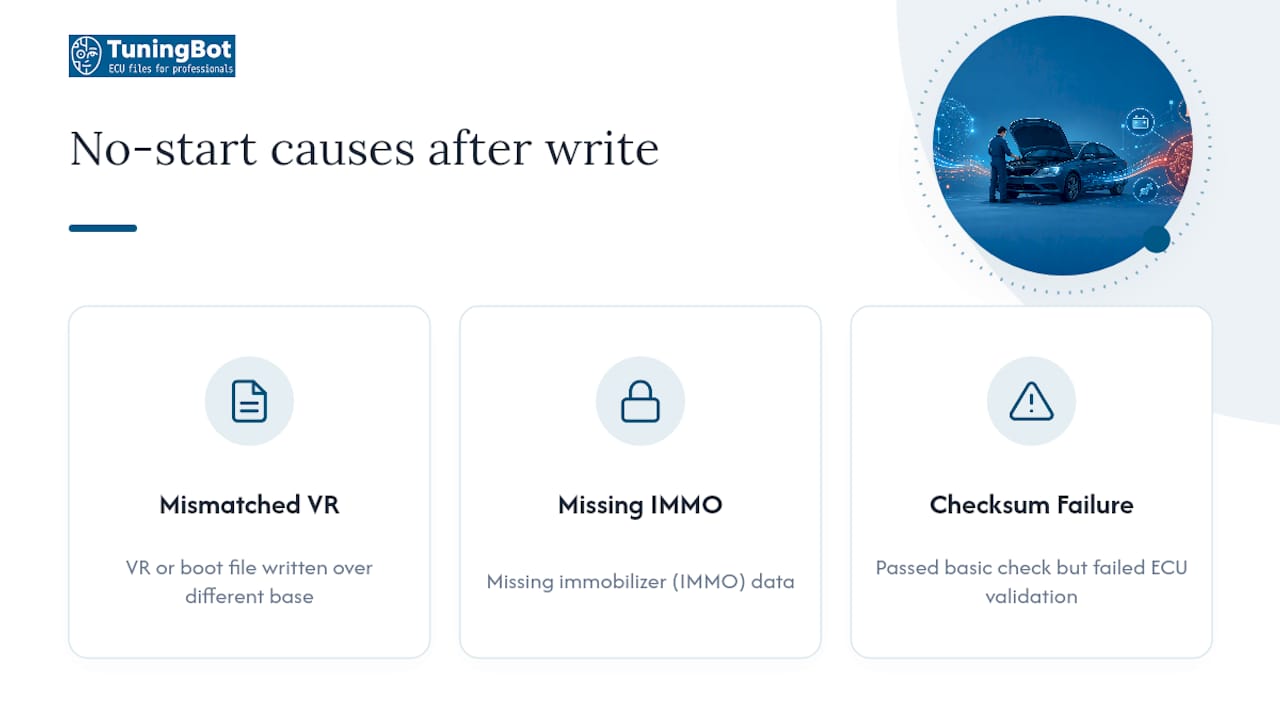
A no-start after programming can result from an incomplete write, file mismatch, security/immobilizer state, protocol error, power/communication loss or hardware fault. A forum case can illustrate one failure mode, but it should not be treated as the universal DCM6.2 pattern.
Work through recovery in this order:
- No-start after write: preserve the tool log, confirm ECU communication and read DTC/security state before attempting another write.
- Security/immobilizer fault: do not modify or synchronize security data unless the exact supported service procedure requires it.
- Write/integrity error: stop repeated attempts and check the file type, protocol, power and module-specific recovery instructions.
- Communication lost: use only the alternate access or recovery mode documented by the flashing-tool vendor for that ECU.
- Persistent failure: escalate to the tool vendor or a qualified ECU specialist rather than following a fixed retry count.
Dica de Mestre: Never attempt a third in-vehicle write after two failures. At that point the ECU’s communication state is unpredictable, and bench reflash is the safer, faster path.
Delphi DCM6.2 Tuning Procedure: File Integrity and Checksum Handling
DCM6.2-family ECUs can use checksum and other integrity mechanisms, but the exact regions and behavior depend on software and flashing workflow. Use the tool/editor procedure documented for the exact file.
Build your validation pass around these checks:
- Use the checksum/signature correction supported for the exact ECU, file type and flashing tool.
- Confirm the source and returned files belong to the same ECU software and supported workflow.
- Do not assume an automatic solution or template is compatible merely because the ECU family name matches.
- Do not require a byte-for-byte comparison outside edited maps unless the file format and tool workflow make that comparison meaningful.
- Preserve the source file and release revision separately.
For a deeper procedural breakdown, ECUtools DCM 6.2 PSA reference walks through the validation steps in more detail than fits here.
Delphi DCM6.2 Tuning Procedure: Post-Write Validation
In a Delphi DCM6.2 tuning procedure, a successful write is only one step. Validation should confirm communication, DTC state and the engine/gearbox parameters affected by the calibration.
- Confirm ECU communication and scan for stored/pending DTCs.
- Log requested/actual torque or load where meaningful for the software.
- Check rail pressure, boost/airflow and temperatures where the calibration changed those systems.
- Review gearbox torque intervention or protection only when relevant to the vehicle and tune.
- Progress from low load to representative higher-load testing only if the vehicle remains stable.
Fuel quantity, torque request/monitoring, rail pressure, boost/airflow and gearbox coordination can interact, but the exact limiter relationships must be identified from the specific software and logs.
How TuningBot Supports Delphi DCM6.2 Workflows
TuningBot can provide calibration files for supported Delphi DCM6.2-family jobs while the workshop remains responsible for exact ECU identification, reading, writing, diagnostics and final validation.
Before ordering, check Cobertura do serviço de ECU, revise Lista de preços pública and browse Serviços de ECU.
For related technical workflow, see the verified Checksum Correction Guide, Dimsport ECU Tuning Guide e Fluxo de trabalho de serviço de arquivo de ajuste online.
Submit a supported source file through Remapeie seu arquivo sem créditos pré-pagos.
This article stays focused on Delphi DCM6.2 procedure and troubleshooting so it supports rather than cannibalizes TuningBot’s commercial ECU/TCU service pages.
What Actually Separates a Clean DCM6.2 Remap From a Callback
Integrity handling should be treated as part of the supported file/write workflow, but it should not be presented as the single dominant cause of every DCM6.2 no-start.
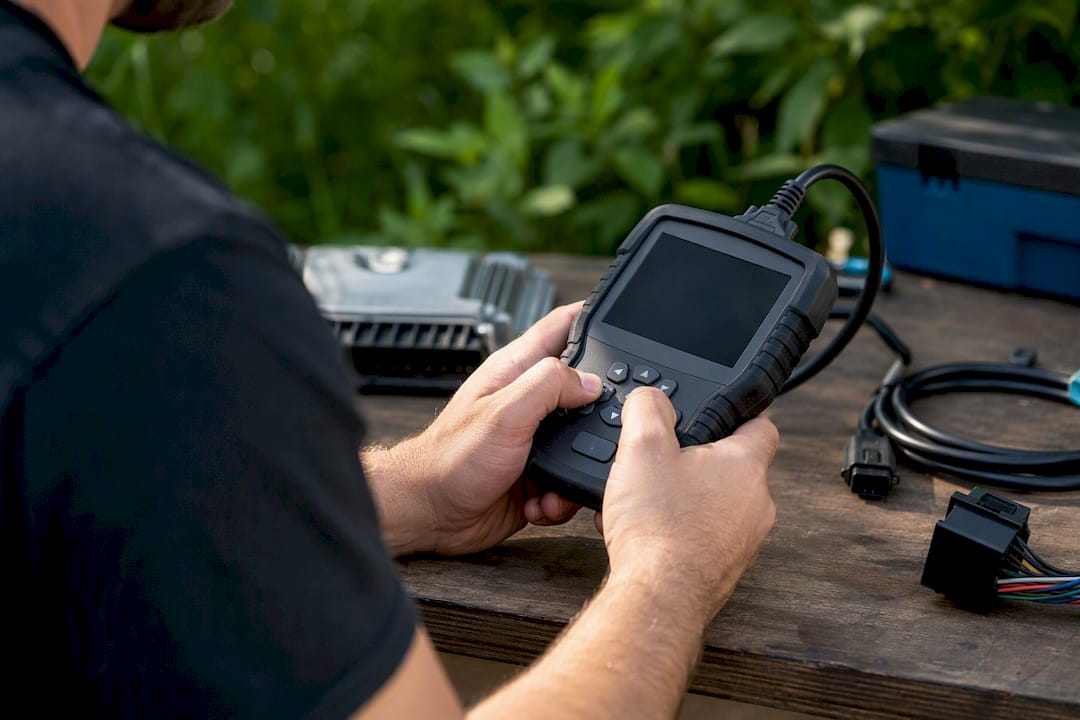
Torque and protection limiters matter where they are active, but they are not automatically mandatory edits on every DCM6.2 calibration. Change only the limits justified by the requested output and measured intervention.
The main principle is traceability: know the exact ECU, source file, calibration revision, tool/protocol and validation result before releasing the vehicle.
Using This Delphi DCM6.2 Tuning Procedure in a Workshop
Use this checklist to control file identity, protocol selection, programming evidence and post-write validation rather than relying on generic DCM6.2 family assumptions.
When outsourcing calibration, verify coverage first through Cobertura do serviço de ECU and submit the source file through Remapeie seu arquivo.
The workshop remains responsible for correct vehicle diagnosis, programming conditions, legal use and final validation.
Sources and Further Reading
- Microtronik — HexProg II DCM6.2V reference — external tool-specific DCM6.2V reference retained unchanged.
- DocDonkey — Delphi DCM6.2A PSA tuning example — external training/example reference retained unchanged.
- Alientech-Tuning — Delphi KESS3 update — external protocol-update example retained unchanged.
- MHH Auto — DCM6.2V no-start discussion — external community troubleshooting reference retained unchanged.
- ECUtools — DCM 6.2 PSA reference — external tool/calibration reference retained unchanged.
- TuningBot — Checksum Correction Guide — verified internal integrity reference.
- TuningBot — Dimsport ECU Tuning Guide — verified internal programming-tool reference.
- TuningBot — Online Tuning File Service Workflow — verified internal workflow reference.
PERGUNTAS FREQUENTES
What ECUs does DCM6.2 tuning cover?
DCM6.2, DCM6.2A and DCM6.2V appear across multiple diesel applications. Exact fitment and protocol support should be confirmed from ECU hardware/software IDs and the current flashing-tool database.
Can you tune DCM6.2 over OBD?
Some DCM6.2-family applications support OBD identification, virtual/server file workflows or OBD writing. Exact support depends on the ECU and current tool protocol.
What causes a no-start after a DCM6.2 write?
Possible causes include incomplete programming, wrong file/source match, security state, communication/power loss, unsupported protocol or ECU/hardware faults. Diagnose the exact tool log and ECU state before rewriting.
Why does checksum correction matter on DCM6.2 files?
Integrity handling matters because the ECU/tool may validate modified data before or after programming. The exact checksum/signature behavior is software- and tool-specific.
Does TuningBot support DCM6.2 file preparation?
TuningBot can process supported DCM6.2-family source files. Exact service availability should be confirmed from the ECU ID, source-file type and current ECU Service Coverage.