

 EnglishEN
 DeutschDE
 EspañolES
 PortuguêsPT
 FrançaisFR
 РусскийRU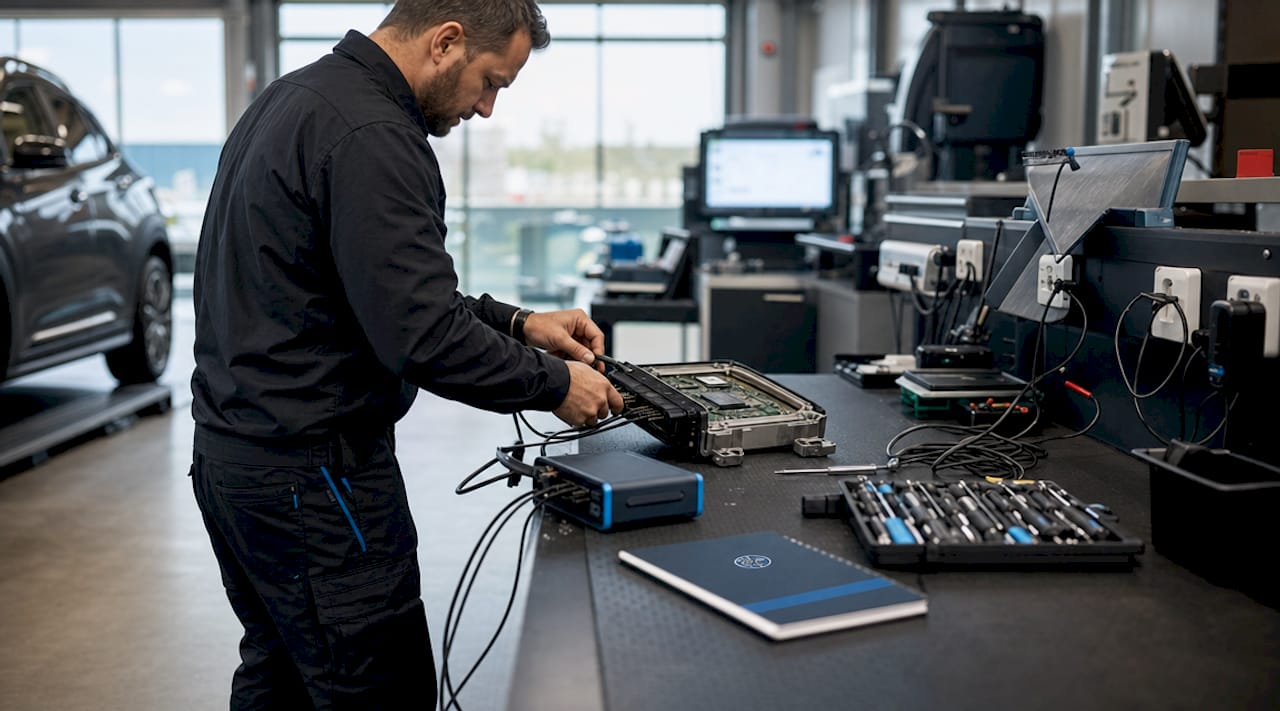
Guida al file ECU personalizzato: processo, strumenti e vantaggi
Un file ECU personalizzato è una calibrazione software specifica per un determinato veicolo, realizzata a partire dai dati binari originali della centralina originale, al fine di controllare con precisione il comportamento del motore, le prestazioni e le emissioni di un singolo veicolo. A differenza delle mappe generiche tuning, che si basano su ipotesi generiche applicabili a diversi modelli di auto, un file ECU personalizzato tiene conto della versione esatta dell’hardware della centralina, delle modifiche installate e degli obiettivi prestazionali del conducente. Strumenti come Alientech KESS3, WinOLS ed ECM Titanium rappresentano lo standard di settore per l’estrazione, la modifica e la riprogrammazione di questi file. Comprendere cosa sia un file ECU personalizzato e in che modo si distingua dalle alternative disponibili in commercio costituisce la base della programmazione professionale della centralina tuning.
Che cos'è un file ECU personalizzato e come funziona?
Un file ECU personalizzato è una versione modificata del file binario di fabbrica memorizzato all’interno dell’unità di controllo motore (ECU) di un veicolo, calibrata specificatamente in base allo stato hardware di quel veicolo e agli obiettivi tuning. Il termine tecnico utilizzato nel settore per indicare questo processo è «ECU remapping» o «calibrazione ECU». Il file originale funge da base di riferimento, mentre il tuner modifica specifiche tabelle di dati al suo interno per alterare il modo in cui il motore gestisce carburante, aria, accensione e coppia.
File binari ECU memorizza le mappe del motore, le regioni di codice, i limitatori e i checksum come byte grezzi. Le mappe appaiono come schemi di dati riconoscibili, mentre le regioni di codice sembrano casuali e non devono essere modificate. Questa struttura implica che anche una piccola e precisa modifica a una tabella di iniezione del carburante possa produrre cambiamenti misurabili nella risposta dell'acceleratore e nell'erogazione di potenza.

La centralina stessa è prodotta da fornitori quali Bosch, Continental, Delphi, Marelli o Denso, e ogni unità utilizza un firmware legato a una specifica versione hardware e software. Un file personalizzato deve corrispondere esattamente a quella versione. L’applicazione di un file calibrato per una variante diversa della centralina, anche se proveniente dalla stessa auto model, comporta il rischio di rifiuto o malfunzionamento.
Come creare un file ECU personalizzato: strumenti e processo
La creazione di un file ECU personalizzato segue una sequenza tecnica ben definita. Ogni fase richiede l'hardware e il software adeguati, oltre al rispetto rigoroso delle procedure, per produrre un file che l'ECU sia in grado di accettare ed eseguire correttamente.
Leggi il file ECU originale. Un'interfaccia hardware come l'Alientech KESS3 o K-TAG si collega al veicolo tramite la porta OBD-II o direttamente sulla scheda ECU. Lo strumento legge il file binario, che varia da 512 KB a 2048 KB a seconda dell'architettura di memoria della centralina.
Eseguire il backup del file originale. Prima di iniziare qualsiasi modifica, è necessario salvare e archiviare in modo sicuro il file binario non modificato. Questo backup costituisce il punto di ripristino nel caso in cui il file modificato causi problemi durante o dopo il flashing.
Apri il file nel software di editing. WinOLS è lo standard professionale per l'identificazione e la modifica delle mappe. ECM Titanium offre un'interfaccia più intuitiva con definizioni di mappe predefinite. Entrambi gli strumenti consentono al tuner di individuare tabelle di dati specifiche all'interno del file binario.
Individua e modifica le mappe di destinazione. Il tuner individua le mappe relative alla fasatura dell'iniezione, all'anticipo dell'accensione, alla pressione del boost, ai limiti di coppia e ai valori target del lambda. Ciascun valore viene regolato in base all'hardware del veicolo, alla qualità del carburante e agli obiettivi prestazionali.
Ricalcola il checksum. Prima di eseguire il reflashing è obbligatorio correggere il checksum utilizzando il CRC32 o algoritmi simili. In caso contrario, la centralina rileverà un'incongruenza nei dati e rifiuterà il file nella sua interezza.
Riprogramma la centralina. Il file corretto viene riscritto sulla centralina utilizzando la stessa interfaccia hardware. Il veicolo viene quindi testato e il file viene affinato in base ai dati reali o ai dati del banco prova.
Consiglio Pro: Verifica sempre il numero hardware e la versione software della centralina prima di apportare modifiche. Una discrepanza tra il file e la variante della centralina è una delle cause più comuni di flash falliti e rigetto della centralina. TuningBot's Guida alla correzione checksum tratta questo processo in modo dettagliato.
File ECU personalizzati vs. generici: perché la differenza conta
La differenza tra un file ECU personalizzato e un file generico tuning non è solo di natura estetica. Influisce direttamente sulla sicurezza del motore, sulla guidabilità e sull'affidabilità a lungo termine.
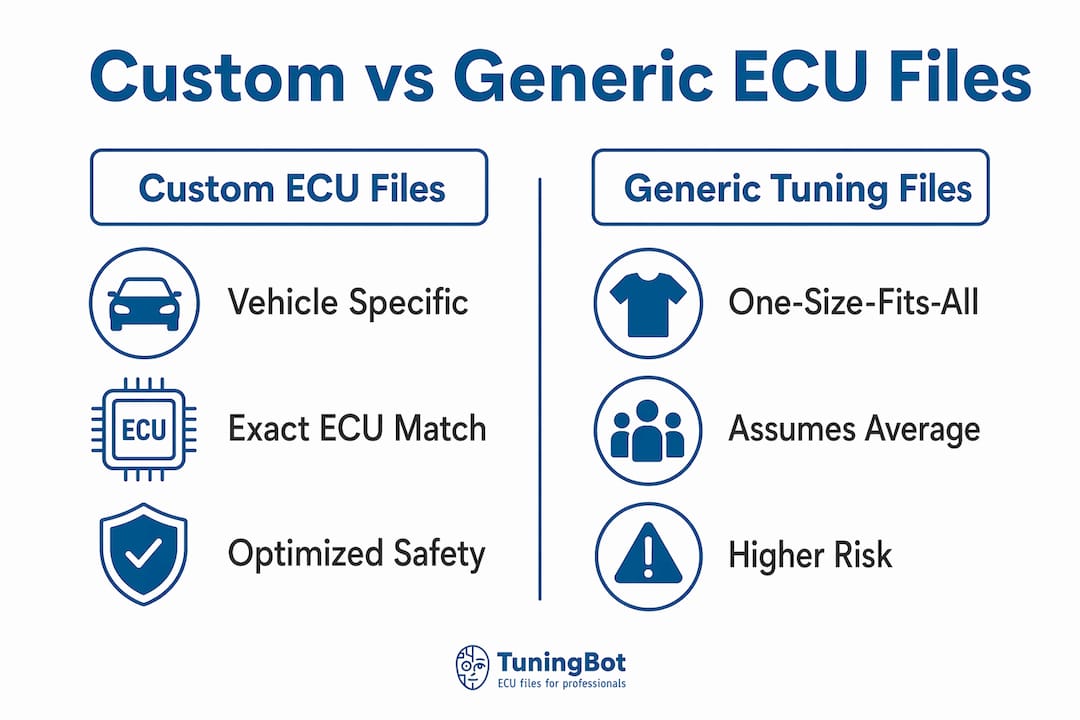
Sviluppo professionale di file tuning è l'opposto delle mappe generiche "universali" che presuppongono condizioni medie del veicolo. I file generici non tengono conto della versione del software della centralina, del chilometraggio, delle specifiche hardware o delle variazioni nella qualità del carburante. Se applicato al veicolo sbagliato, un file generico può causare una scarsa guidabilità, un minimo instabile, errori nelle emissioni o danni al motore.
I file personalizzati, al contrario, sono scritti specificamente per i dati della centralina di un singolo veicolo. Riflettono l'hardware effettivo installato, sia che includa un turbocompressore potenziato, uno scarico ad alto flusso o un intercooler più grande. La calibrazione è abbinata a quei componenti, non a una media teorica.
| Fattorizzare | File ECU personalizzato | File generico tuning |
|---|---|---|
| Specificità del veicolo | Calibrato alla versione esatta della centralina e all'hardware | Presume una configurazione media su più veicoli |
| Margine di sicurezza | Rimappato entro i limiti di sicurezza OEM verificati | Potrebbe superare i limiti di sicurezza per l'hardware specifico |
| Guidabilità | Ottimizzato per una risposta fluida e prevedibile | Può produrre minimo irregolare, esitazione o funzionamento a singhiozzo |
| Conformità alle emissioni | Può essere mantenuto o gestito intenzionalmente | Spesso causa fallimenti nelle emissioni |
| Rischio di danni al motore | Basso se calibrato professionalmente | Elevato, soprattutto sui veicoli modificati |
L'implicazione pratica è chiara. Un'officina che applica un file generico a un motore diesel modificato con un set di iniettori potenziato opera senza alcuna rete di sicurezza. Una calibrazione personalizzata tiene conto della portata di quell'iniettore e regola l'erogazione del carburante di conseguenza.
Parametri chiave modificati nei file ECU personalizzati
Il tuning ECU personalizzato modifica una serie definita di parametri di gestione del motore. Ciascuno di essi ha un effetto diretto sulle prestazioni, sul consumo di carburante o sulla durata del motore.
- Tempi e durata dell'iniezione di carburante. Controlla quando e per quanto tempo gli iniettori si aprono. Anticipare la fasatura di iniezione aumenta l'efficienza della combustione ma richiede una calibrazione precisa per evitare il battito in testa.
- Anticipo di accensione. Determina quando la scintilla scocca rispetto alla posizione del pistone. Una maggiore anticipo generalmente produce più potenza, ma il limite è fissato dal numero di ottano del carburante e dalla temperatura del motore.
- Pressione di sovralimentazione. Nei motori turbocompressi, la mappa del solenoide di controllo della valvola di scarico (wastegate) o boost definisce il valore massimo di boost. Aumentando questo valore si ottiene una maggiore potenza, ma è necessario rimanere entro i limiti di tolleranza del turbocompressore e del motore.
- Limiti di coppia. I limitatori di coppia OEM proteggono il cambio e la trasmissione. I file personalizzati modificano questi limiti per adattarli all'hardware aggiornato o per rimuovere restrizioni artificiali.
- Obiettivi Lambda. I valori Lambda da 0,85 a 1,05 definiscono il rapporto aria-carburante nell'intervallo di carico e di giri. Miscele più ricche proteggono il motore sotto carico elevato; miscele più magre migliorano l'efficienza del carburante a pieno carico.
È proprio l'interazione tra questi parametri a rendere tecnicamente complessa la personalizzazione dei file ECU. Ad esempio, anticipare l'accensione mentre si utilizza un target lambda magro aumenta significativamente il rischio di battito in testa. I preparatori devono considerare queste mappe come un sistema unico, non come variabili indipendenti.
Consiglio Pro: La regolazione entro i margini di sicurezza stabiliti dal produttore non rappresenta una limitazione. È lo standard che distingue la calibrazione professionale da una “modificazione” sconsiderata. Rimanere entro i limiti convalidati, come indicato nel Guida alle tecniche remapping 2026, protegge sia il motore che la reputazione dell'officina.
I vantaggi dei file ECU personalizzati per il tuner e gli appassionati
I benefici pratici dell'utilizzo di un file ECU personalizzato correttamente calibrato si estendono ben oltre i numeri di potenza massima. L'ECU remapping migliora la potenza, il risparmio di carburante e la guidabilità modificando i parametri del motore entro i limiti del costruttore, e i guadagni sono convalidati tramite diagnostica e test al banco.
- Maggiore potenza e coppia erogata. Eliminando il conservatorismo OEM dal boost e dalle mappe di fasatura, si libera la potenza che l'hardware del motore è già in grado di produrre.
- Miglioramento dell'economia di carburante a farfalla parzializzata. L'ottimizzazione dei punti di regolazione lambda e dei tempi di iniezione a basso carico riduce il consumo di carburante senza compromettere le prestazioni massime.
- Risposta dell'acceleratore più fluida. Le mappe dell'acceleratore personalizzate eliminano i vuoti e le esitazioni comuni nelle calibrazioni di fabbrica, progettate per la conformità alle emissioni piuttosto che per la sensibilità del conducente.
- Compatibilità con aggiornamenti hardware. Un veicolo dotato di un turbocompressore più grande, un intercooler migliorato o iniettori ad alto flusso richiede un file personalizzato per utilizzare correttamente quell'hardware. Un file di serie non comanderà correttamente i nuovi componenti.
- Riduzione del rischio di errori tuning. I file personalizzati prevengono danni al motore calibrando i parametri in modo preciso rispetto allo stato effettivo del veicolo, eliminando le congetture che causano guasti con le mappe generiche.
- Affidabilità testata al banco prova. I file personalizzati professionali vengono testati e validati su un banco prova prima della consegna, confermando che le prestazioni nel mondo reale corrispondano all'intento della calibrazione.
Anche i laboratori che forniscono file personalizzati anziché mappe generiche contribuiscono a rafforzare i rapporti con i clienti. Un veicolo che funziona correttamente dopo un intervento remap, senza spie accese né reclami relativi alla guidabilità, rappresenta la forma di marketing più efficace che un'azienda specializzata in tuning possa offrire.
Punti chiave
I file ECU personalizzati sono calibrazioni binarie specifiche per ogni veicolo che richiedono la corrispondenza esatta della versione della centralina, la modifica precisa dei parametri e la correzione obbligatoria checksum per garantire un aumento delle prestazioni sicuro e affidabile.
| Punto | Dettagli |
|---|---|
| Definizione di un file ECU personalizzato | Una calibrazione binaria specifica per il veicolo, ricavata dai dati della centralina originale, non una mappa generica. |
| Processo di creazione | Richiede hardware come KESS3, software di modifica come WinOLS e la correzione obbligatoria checksum prima di procedere al reflashing. |
| File personalizzati contro file generici | I file generici ignorano la versione della ECU e lo stato dell'hardware; i file personalizzati vengono abbinati alla configurazione esatta del veicolo. |
| Parametri chiave modificati | L'iniezione di carburante, la fasatura dell'accensione, la pressione boost, i limiti di coppia e i valori target lambda interagiscono tutti come un unico sistema. |
| Benefici primari | Maggiore potenza, migliore efficienza del carburante, risposta più fluida e compatibilità con componenti hardware aggiornati. |
Perché penso che la maggior parte degli utenti di tuner sottovaluti il file stesso
La maggior parte delle discussioni sull’ECU tuning verte sull’hardware. Quale strumento legge quale ECU, quale configurazione del banco di prova è più veloce, quale cavo funziona con quale protocollo. Il file viene considerato come un semplice risultato, quasi un dettaglio secondario. Questo approccio è sbagliato.
Il file è il prodotto. L'hardware è solo il meccanismo di consegna. Un KESS3 con un file mal calibrato fa più danni di un K-TAG con uno preciso. Ho visto officine investire molto in strumenti di lettura utilizzando mappe di base generiche da forum di condivisione file, e i risultati sono prevedibili. Minimo instabile, lamentele dei clienti e occasionalmente un motore danneggiato che l'officina deve spiegare.
Ciò che distingue una calibrazione professionale da quella amatoriale tuning è la disciplina applicata al file stesso. Eseguire il backup del file originale, verificare l’ID della centralina, correggere il file checksum, effettuare i test al banco prima della consegna. Questi non sono passaggi facoltativi. Costituiscono il processo stesso. Saltarne anche solo uno fa passare il rischio da gestibile a inaccettabile.
Gli strumenti emergenti nel 2026, tra cui l’identificazione delle mappe assistita dall’intelligenza artificiale su piattaforme come WinOLS e i database di calibrazione basati sul cloud migliorati, stanno rendendo il processo più veloce. Tuttavia, non lo stanno semplificando nel senso di eliminare la necessità di un giudizio. Il tecnico tuner deve comunque comprendere cosa controlla ciascuna mappa e perché una determinata modifica sia sicura per un veicolo specifico. La tecnologia accelera il lavoro, ma non sostituisce la conoscenza. Per le officine che iniziano a lavorare con il tuning personalizzato, il miglior investimento non è uno strumento di lettura più veloce, bensì il tempo dedicato alla comprensione Errori comuni nella rimappatura della centralina prima che si verifichino sul veicolo di un cliente.
— TuningBot Team Tecnico
Ottieni file ECU personalizzati professionali da TuningBot
TuningBot consegna file ECU personalizzati professionalmente calibrati per officine e tuner in tutto il mondo, che copre i modelli remap dallo Stage 1 allo Stage 3, DPF disattivato, EGR disattivato, DSG/TCU tuning e altro ancora, per tutte le principali marche di centraline, tra cui Bosch, Continental, Delphi e Marelli.
Caricare il file della centralina direttamente attraverso la piattaforma senza registrazione o crediti prepagati richiesti. I file vengono calibrati da ingegneri reali e restituiti rapidamente, compatibili con strumenti tra cui Alientech KESS3, AutoTuner, Magic Motorsport e PCMFlash. La Copertura dei servizi ECU La pagina illustra i servizi supportati e la copertura ampliata delle centraline per i flussi di lavoro attuali. Per le officine pronte a fornire remap precisi e convalidati a ogni cliente, Il servizio remapping di TuningBot è lo standard professionale.
FAQ
Cos'è un file ECU personalizzato in parole semplici?
Un file ECU personalizzato è una versione "modificata" del software di serie memorizzato nella centralina motore (ECU) di un veicolo, modificata per alterare il modo in cui il motore gestisce il carburante, l'accensione, il boost e la coppia per quel veicolo specifico.
Come si differenzia un file ECU personalizzato da una rimappatura generica?
I file generici tuning applicano calibrazioni generiche che non tengono conto della versione esatta della centralina (ECU) del veicolo né delle modifiche hardware, mentre i file personalizzati vengono creati a partire dai dati binari specifici del veicolo e adattati alla sua configurazione effettiva.
Quali strumenti vengono utilizzati per creare un file ECU personalizzato?
Strumenti hardware come Alientech KESS3 o K-TAG leggono e scrivono il binario della ECU, mentre software come WinOLS ed ECM Titanium vengono utilizzati per identificare e modificare le mappe dati all'interno del file.
Perché è necessaria la correzione checksum prima di eseguire il reflashing?
Il ricalcolo del checksum utilizzando algoritmi come il CRC32 è obbligatorio, poiché la centralina verifica l'integrità del file prima di accettarlo. Un file con un checksum errato verrà rifiutato e la centralina non eseguirà la calibrazione specificata.
Un file ECU personalizzato può danneggiare il motore?
Un file personalizzato, calibrato da professionisti e ottimizzato entro i margini di sicurezza previsti dal costruttore, non danneggia il motore. I danni si verificano quando vengono applicati file generici senza tener conto delle caratteristiche hardware del veicolo, oppure quando parametri quali i valori target di lambda e la pressione di boost vengono impostati oltre i limiti di tolleranza verificati del motore.