

 ItalianoIT
 DeutschDE
 EspañolES
 PortuguêsPT
 FrançaisFR
 РусскийRU
Looking for the KESS3 hardware? Genuine Alientech tools with official subscription, shipped worldwide.
See KESS3 in our storeGet Your KESS3 Running:
From Alientech Account to First ECU Read
Step-by-step guide to register your Alientech account, activate KESS3, download the KESS3 software and install Alientech Suite on Windows. Everything you need to get the tool running, from the ALIEN_ID to the first ECU read.
Already have your KESS3 up and running?
Send us the original read and get a tested calibration back — checksum correction available as an add-on.
1. How to Register Alientech Account
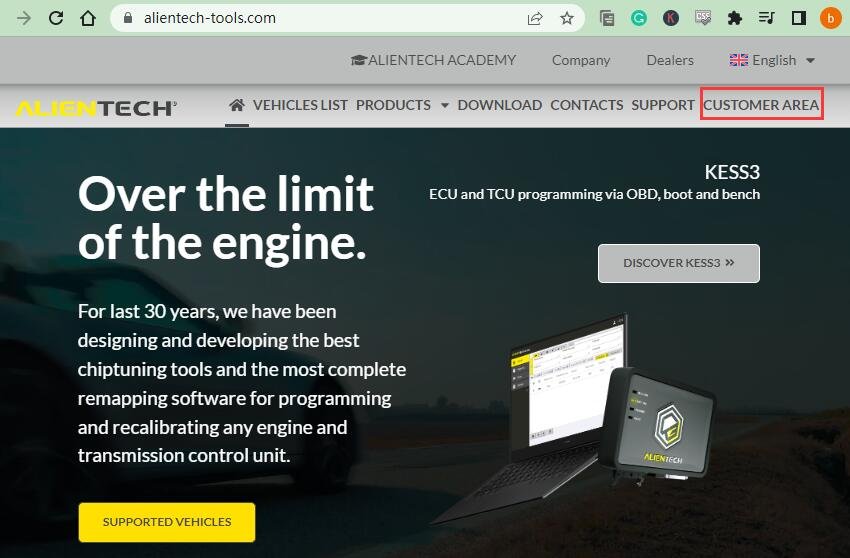
Visit https://www.alientech-tools.com
Click “CUSTOMER AREA” at the top-right corner
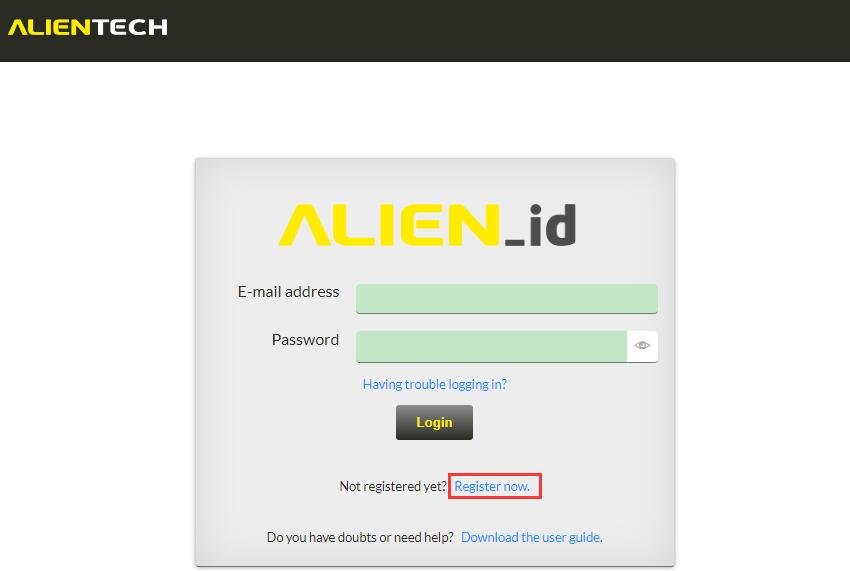
Click “Register now” to enter the registration page
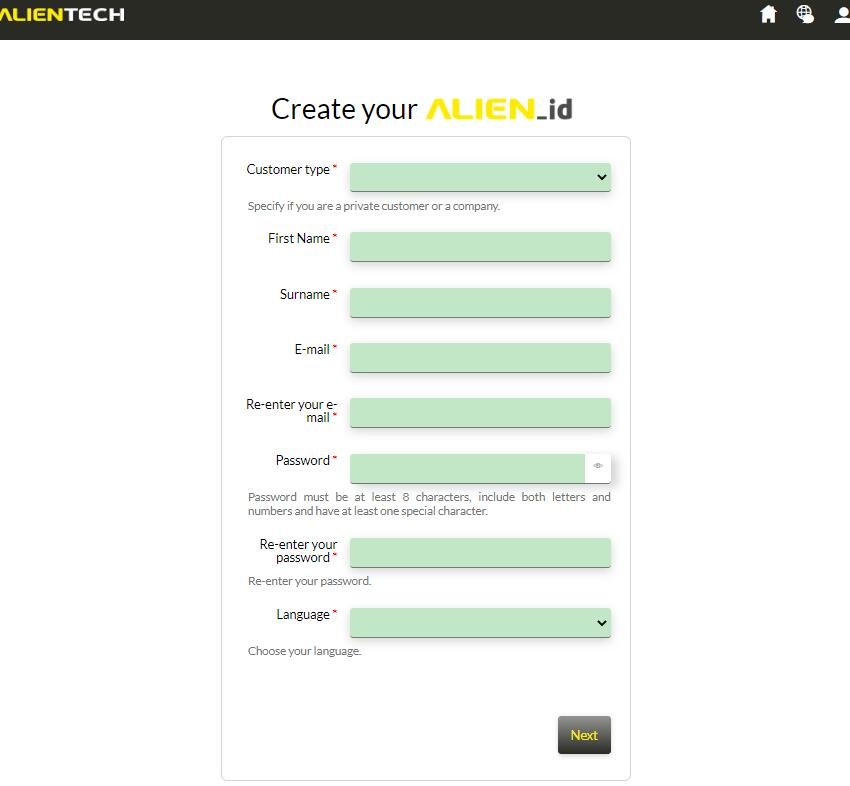
Input username, email, password, and language → Click “Next”
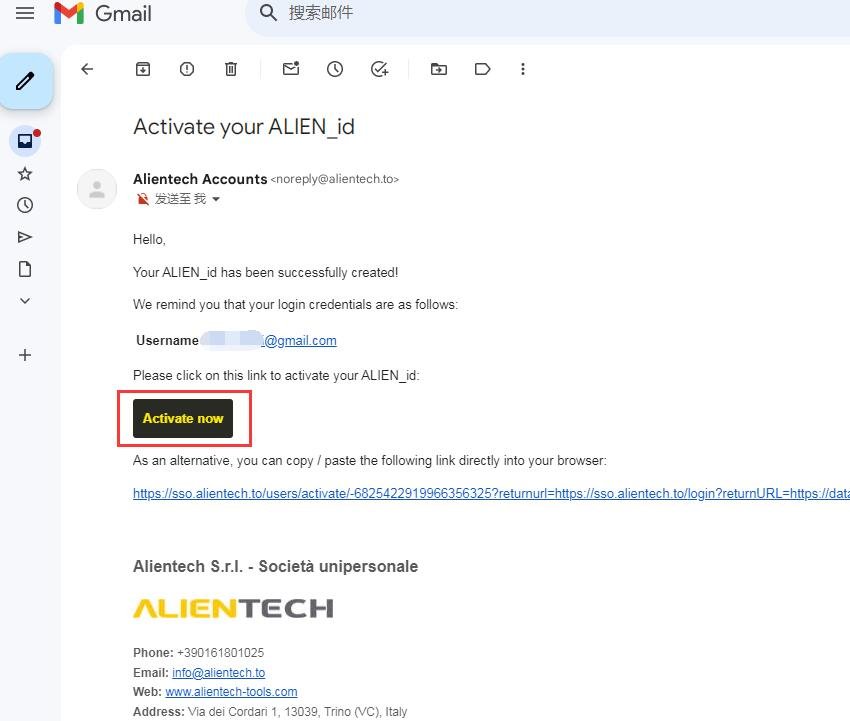
Check your email → Click “Activate now” to activate your ALIEN_ID
2. Where to Download KESS3 Software
Login with your email and password
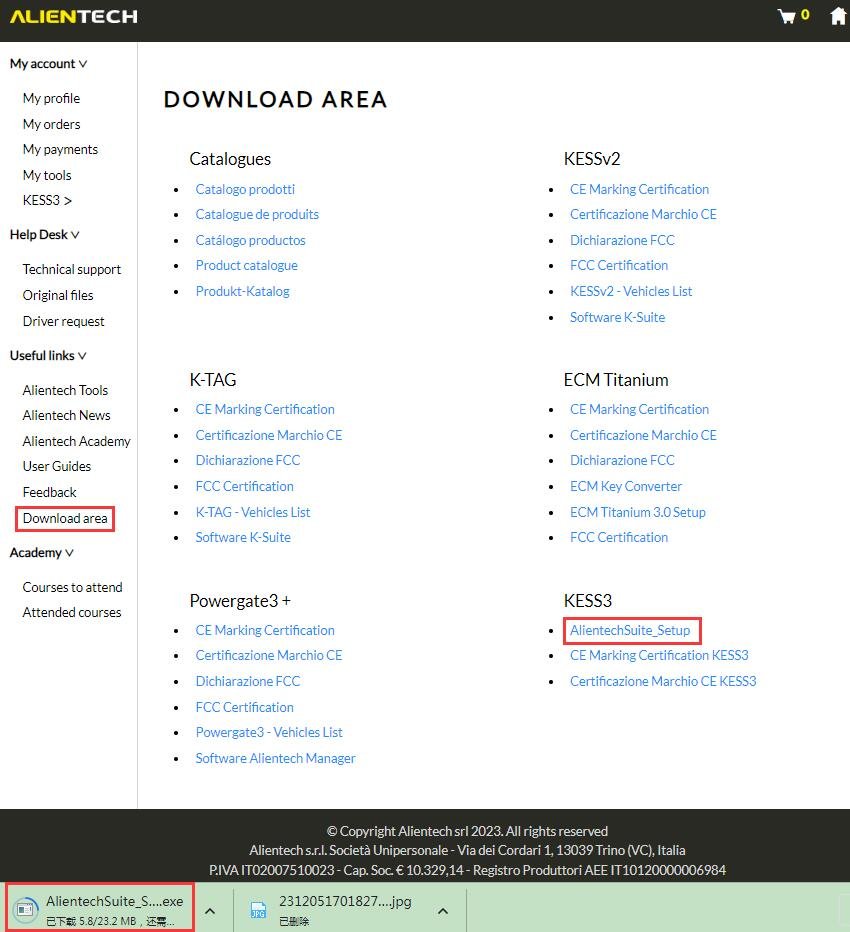
Click “Download area” on the left sidebar → Find KESS3 → Download AlientechSuite_Setup
The KESS3 software download is not a stand-alone program: what you get from the download area is the Alientech Suite setup file, the single application that drives KESS3, powergate and the other Alientech tools. Always take it from the official customer area — the setup is tied to your ALIEN_ID and to the licences on your device.
3. How to Install Alientech Suite Software
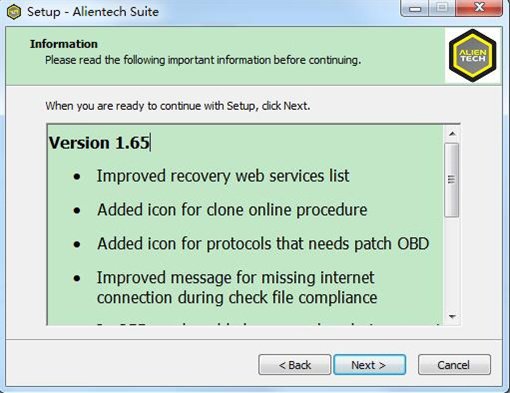
Run the installer → Follow prompts → Installation complete in minutes
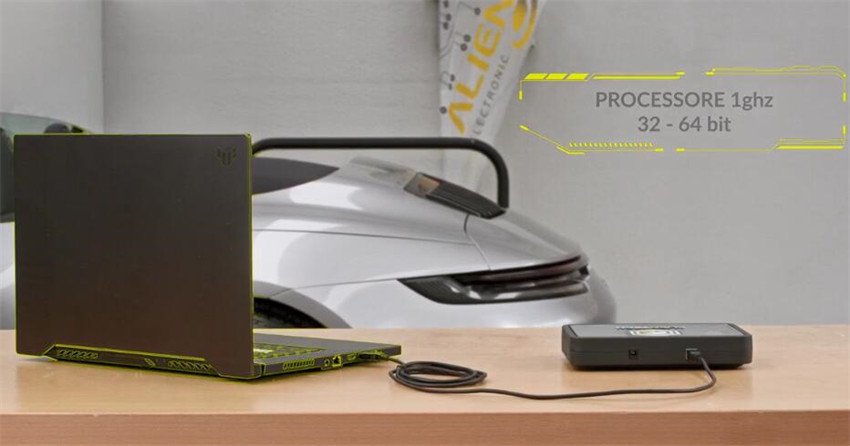
Connect KESS3 via USB → Run Alientech Suite from desktop
System Requirements
- 2GB+ RAM
- 32/64-bit 1GHz+ processor
- Windows PC with a free USB port and a stable internet connection (the suite validates licences online)
KESS3 Driver: Installation and Troubleshooting
There is no separate KESS3 driver download: the USB driver is installed by the Alientech Suite setup. When Windows asks whether to install device software from Alientech Srl, choose Install.
If KESS3 is not detected:
- Connect the supplied USB cable to a port directly on the PC, not to a hub.
- Try another USB port or cable.
- Check that your antivirus has not quarantined the installation folder.
- Reinstall Alientech Suite as administrator and accept the driver prompt.
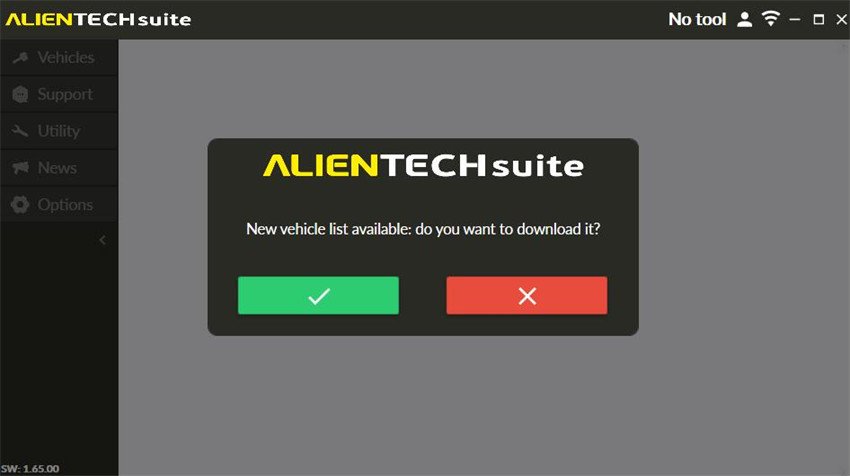
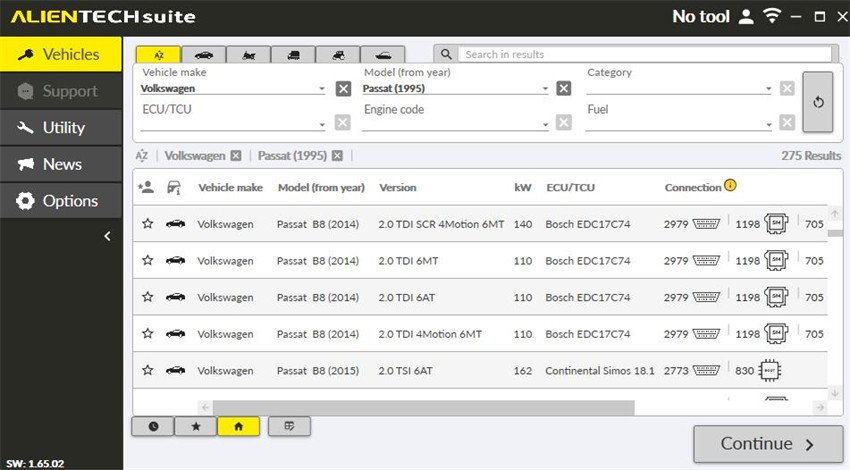
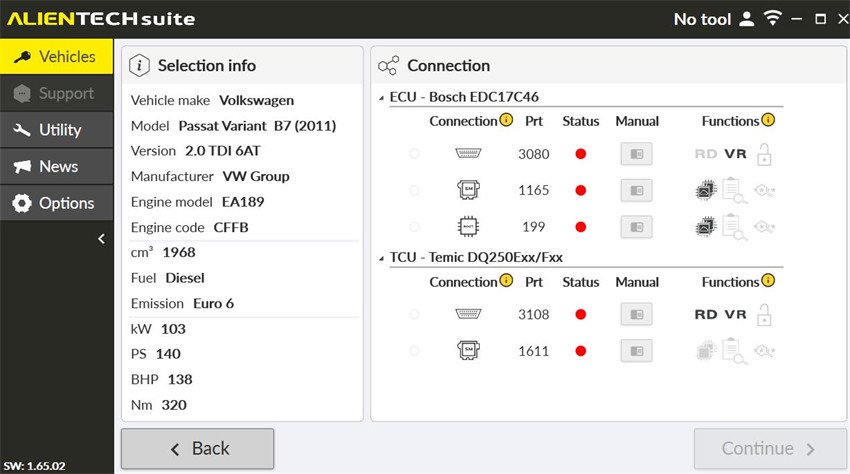
Update vehicle list if prompted → Select vehicle → Read via OBD/Bench/Boot
4. Alientech Suite: What It Is and How to Keep It Updated
Alientech Suite is the desktop application that replaced the older separate programs: the same software manages KESS3 reading and writing, licence activation, protocol updates and the vehicle database. When people look for an “Alientech Suite download”, this is the setup file they need — and it always comes from the customer area described above, never from third-party mirrors.
Keeping the software healthy
- Updates: the suite checks for new versions at launch. Let it finish before connecting the tool, so protocols and vehicle list stay aligned with your licences.
- Licences: protocols and the master/slave status are tied to your ALIEN_ID, not to the PC. Signing in on a new computer restores what you own.
- Antivirus: some security suites quarantine the setup or the USB driver. Whitelist the installation folder before reporting a fault.
- Reads: for IMMO, virgin and other security-related jobs, always take a full boot or bench read — a virtual read is not enough.
Working with other tools as well? See our guide to the official K-Suite 3.0 download for the Kessv2 and K-TAG side of the workshop.
5. You Have the Read — Now What?
Once Alientech Suite gives you the original file, the tool has done its part: the calibration work happens on that file. Upload it through Tune Your File and our team sends back a tested file — usually within hours (add the checksum correction service if your tool doesn’t handle checksums), since 2015. New to the workflow? Our KESS3 file upload guide for professionals walks through modes, file preparation and the most common upload problems.
- IMMO Off file service — immobilizer removal and virgin files for MED17, EDC17, SIMOS, PCR2.1 and DSG TCUs
- Checksum correction — when the tool refuses a modified file
- DTC removal and full ECU service coverage
6. KESS3 Software FAQ
Is the KESS3 software free to download?
The Alientech Suite setup itself is free to download from the customer area: you are not paying for the installer. What you pay for are the device and the protocols enabled on it. Without a registered KESS3 linked to your ALIEN_ID the software installs, but it cannot read or write anything.
What is the difference between KESS3 Master and Slave?
Master devices read and write files freely and can encode files for slave units. Slave devices work only with files prepared for them by a master, which is how tuning networks protect their calibrations. The software you install is the same in both cases — the difference lives in the device profile tied to your ALIEN_ID. If you send us a slave read, tell us in the order notes so the file comes back in the right format.
Do I need a subscription to keep using KESS3?
The tool keeps working with the protocols you own, but new vehicle coverage and protocol updates arrive through the manufacturer’s update plan. When that plan lapses the device still reads and writes what it already supports — you simply stop receiving the newest vehicles. Check the status in your customer area before blaming the software for a missing vehicle.
My PC does not recognise KESS3 — do I need a separate driver?
The USB driver is installed together with Alientech Suite, so there is no separate driver download to hunt for. If the tool is not detected: use a rear USB port directly on the motherboard instead of a hub, try another cable, check that your antivirus has not quarantined the installation folder, and reinstall the suite as administrator. A device that powers up but never appears in the software is usually a port, cable or security-software problem, not a fault of the tool.
Does Alientech Suite work with a cloned KESS3?
No. The official software validates the device against the manufacturer’s servers, so a cloned or unlicensed unit cannot be registered and will not run the suite. Beyond the legal side, a cloned tool that fails mid-write can brick an ECU, and no file service can repair a bad write. We work only with genuine devices.
OBD, bench or boot — which read should I send you?
For ordinary calibration work an OBD read is usually enough. For immobilizer, virgin and other security-related jobs you need a complete bench or boot read — a partial or virtual read cannot be patched reliably. See the IMMO Off file service for the ECU families where a full read is mandatory.
Already tooled up? Send the file. Still shopping? Get the tool from us and the first calibrations are on the house.
Related: completing your setup? Get KESS3 Master or KESS3 Slave from our shop, keep the tool current with the annual subscription renewal, and pair it with ECM Titanium Full for in-house map editing.