

 ItalianoIT
 DeutschDE
 EspañolES
 PortuguêsPT
 FrançaisFR
 РусскийRU
Common Delphi ECU tuning issues are primarily caused by checksum errors, incomplete memory backups, communication failures, hardware incompatibilities, and advanced security measures that block standard OBD writes. Delphi ECUs, found across a wide range of diesel and gasoline platforms from Fiat Ducato to GM vehicles, present unique calibration challenges that differ significantly from Bosch or Marelli units. Tools like Alientech KESS3, AutoTuner, and WinOLS with the correct checksum plugins are the baseline requirement for any professional working on these units. Recognizing which specific failure mode you are dealing with is the first step toward a reliable fix.
Table of Contents
- 1. What are checksum errors in Delphi ECU tuning?
- 2. How incomplete ECU backups limit tuning success
- 3. What communication and hardware issues disrupt Delphi tuning?
- 4. How Delphi’s security measures affect ECU tuning
- 5. Recognizing and avoiding write failures
- 6. Using unverified tuning files and their consequences
- 7. Best practices for Delphi tuning troubleshooting
- Key Takeaways
- What I have learned from years of Delphi ECU work
- TuningBot’s professional resources for Delphi ECU tuning
- FAQ
- Recommended
1. What are checksum errors in Delphi ECU tuning?
A checksum is a calculated value the ECU uses to verify that its binary data has not been corrupted or altered without authorization. When that value does not match what the ECU expects, checksum validation fails and the unit locks itself for security. The result is a no-start condition, limp mode, or a fully locked ECU.
The most common causes of checksum errors in Delphi tuning are incorrect WinOLS plugin usage and partial memory reads. WinOLS requires a specific licensed checksum plugin for each ECU family. Editing a Delphi file without the correct plugin produces a corrupt checksum that a standard hex editor will not flag. The file looks clean, but the ECU rejects it on the first write attempt.
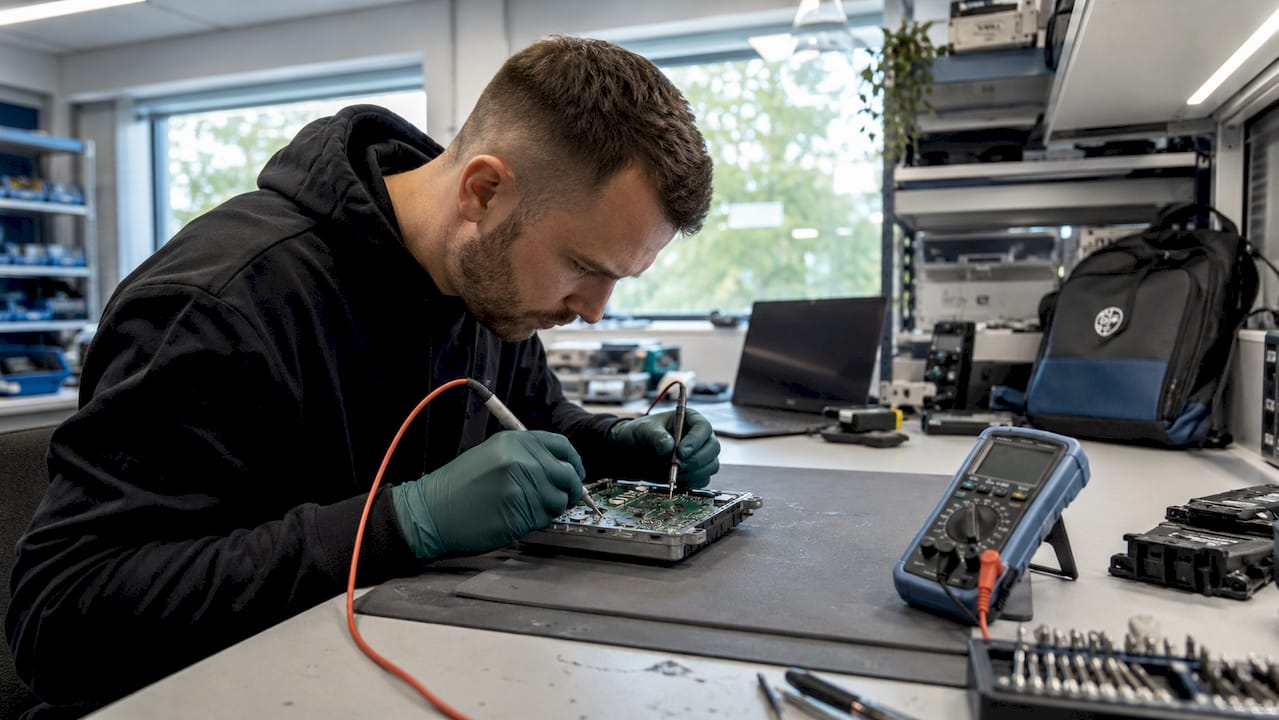
Checksums operate on raw binary data, not on interpreted engine parameters. A successful file write does not guarantee the ECU will accept the calibration. Always verify checksum correction before writing, not after.
Pro Tip: Use AutoTuner’s built-in checksum recalculation feature or a validated WinOLS plugin to correct checksums before every write. Never assume a file from an unverified source has been corrected.
2. How incomplete ECU backups limit tuning success
Partial OBD reads are the second most frequent cause of Delphi ECU tuning failures. OBD reads on Delphi DCM7.1A and newer units do not provide access to the full memory map, including bootloader and calibration regions. When those areas are missing, checksum calculations are incomplete, and the resulting file is unsafe to write.
Bench mode and Boot mode solve this problem by providing direct access to the full ECU memory. These methods require physical access to the ECU, either on the bench or via the boot pin, but they return a complete, stable backup that includes every memory region needed for a valid checksum.
| Read Method | Memory Access | Checksum Reliability | Risk Level |
|---|---|---|---|
| OBD | Partial blocks only | Low, incomplete data | High |
| Bench mode | Full memory including calibration | High | Medium |
| Boot mode | Full memory including bootloader | Highest | Low when done correctly |
Tools like AutoTuner and Alientech KESS3 both support Bench and Boot mode writes on Delphi units. Selecting the correct read mode for the specific ECU hardware version is not optional. It is the foundation of a safe tuning workflow. The TuningBot ECU remapping techniques guide covers read mode selection in detail for 2026 platforms.
3. What communication and hardware issues disrupt Delphi tuning?
Hardware problems are frequently misdiagnosed as software or checksum errors. Confusing checksum errors with communication failures wastes troubleshooting time and can lead to repeated write attempts that damage the ECU further. Reading the exact error message carefully is the only way to distinguish between the two.
The most common hardware issues in Delphi ECU tuning include:
- Unstable power supply during writes. Voltage drops mid-write corrupt the flash memory. Use a dedicated battery support unit, not just the vehicle’s battery.
- Wiring harness faults. Wiring problems in vehicles cause intermittent ECU access and erratic communication, often mistaken for software issues.
- Incompatible interface cables. Not all OBD cables support the communication protocols used by Delphi ECUs. Use cables and interface modules that are explicitly listed as compatible with the target ECU.
- Loose or corroded bench connectors. A poor physical connection during a bench read produces incomplete data that looks like a software failure.
Isolate hardware faults before touching any software settings. Connect the ECU to a known-good power source, inspect all connectors, and run a communication test with your interface tool before attempting a read or write.
Pro Tip: Always check for ECU fault examples before assuming a tuning tool is at fault. Physical ECU damage or internal faults produce error patterns that mimic communication failures.
4. How Delphi’s security measures affect ECU tuning
Modern Delphi ECUs use 32-bit security algorithms and RSA signature verification to block unauthorized writes. These protections mean that simple OBD writes are blocked on newer models, regardless of which tuning tool you use. Attempting a standard OBD write on a protected Delphi unit results in a write failure or, in the worst case, a bricked ECU.
Technicians working on protected Delphi units must adapt their workflow in the following order:
- Identify the exact ECU hardware and software version before selecting a read method.
- Confirm that your tool supports Boot mode or Bench mode for that specific Delphi variant.
- Use Boot mode to bypass RSA signature checks and write directly to flash memory.
- Verify tool firmware is current. Security protocol support is added through firmware updates, not hardware changes.
- Source tuning files from professional providers matched to the ECU’s security version, with checksum correction available where the workflow requires it.
AutoTuner and Alientech KESS3 both include Boot mode support for a growing list of protected Delphi ECUs. Tool compatibility lists are updated regularly, so checking the manufacturer’s current protocol database before starting a job prevents avoidable failures.
Pro Tip: Treat every new Delphi ECU variant as potentially protected until confirmed otherwise. One failed write attempt on a secured unit can trigger a permanent lock that requires bench recovery.
5. Recognizing and avoiding write failures
A write failure is not the same as a checksum error, and treating them identically leads to compounded damage. Write failures occur when the communication between the tool and ECU is interrupted, the protocol is unsupported, or the power supply drops during the flash process. Checksum errors occur after a successful write when the ECU validates the binary data and finds a mismatch.
Repeated write attempts after a checksum error can overwrite recovery areas in the ECU’s flash memory. Once those areas are gone, bench recovery becomes the only option. Bench recovery requires desoldering the flash chip in many cases, which is expensive and time-consuming. The correct response to a checksum error is to fix the file, not to retry the write.
Distinguishing between error types requires reading the full error log from your tuning tool, not just the final status message. AutoTuner, for example, logs communication status separately from checksum validation status. That distinction tells you exactly where the process failed.
6. Using unverified tuning files and their consequences
Unverified tuning files are one of the most preventable causes of Delphi ECU problems. Files sourced from forums, unvetted file-sharing platforms, or generic “universal” tune providers frequently contain uncorrected checksums, wrong calibration data for the specific ECU variant, or modifications that conflict with the vehicle’s torque management and DTC settings.
Professional file providers offer checksum correction as a service, and master tools automate checksum recalculation during writes. That combination reduces the risk of post-flash ECU lock significantly. The file must match the exact ECU hardware number, software version, and calibration region. A file that works on one Delphi DCM7.1 unit will not necessarily work on a different hardware revision of the same ECU family.
Always cross-reference the ECU ID before applying any tuning file. The TuningBot resource on ECU service coverage verification explains how to extract and validate ECU identifiers before committing to a write.
7. Best practices for Delphi tuning troubleshooting
A structured troubleshooting workflow prevents most Delphi ECU tuning errors before they occur. The following practices apply to every job, regardless of ECU variant or vehicle platform:
- Verify tool and protocol compatibility first. Check the tool manufacturer’s ECU compatibility list for the exact Delphi hardware version before connecting.
- Always obtain a full memory backup. Use Bench or Boot mode for Delphi DCM7.1A and newer. Store the original backup in a secure location before making any changes.
- Cross-check checksum results. Use WinOLS with the correct licensed plugin, or AutoTuner’s built-in correction, to validate the checksum before every write. The TuningBot checksum correction guide provides a step-by-step workflow for this process.
- Read error messages in full. Distinguish between communication errors, write failures, and checksum validation failures. Each requires a different response.
- Use professional file sources only. Verified providers supply files matched to the ECU’s hardware and software version with corrected checksums.
- Know your recovery options. If a write fails, stop immediately. Assess whether the ECU is still readable before attempting another write. Contact a bench recovery specialist if the unit is unresponsive.
The professional ECU remapping guide from TuningBot covers recovery procedures for common Delphi write failures in detail.
Key Takeaways
Successful Delphi ECU tuning requires full memory backups via Bench or Boot mode, validated checksum correction, and tool compatibility with the ECU’s security protocol before any write attempt.
| Point | Details |
|---|---|
| Checksum errors cause ECU lock | Always correct checksums with a validated WinOLS plugin or AutoTuner before writing. |
| OBD reads are insufficient | Use Bench or Boot mode on Delphi DCM7.1A and newer for a complete, safe memory backup. |
| Hardware faults mimic software errors | Inspect power supply, wiring, and connectors before diagnosing a software or checksum issue. |
| Security protocols block OBD writes | Modern Delphi ECUs require Boot mode and tool firmware that supports 32-bit and RSA security. |
| Unverified files carry high risk | Source files from professional providers who supply checksum-corrected, ECU-specific calibrations. |
What I have learned from years of Delphi ECU work
The single most damaging misconception I see in workshops is treating every post-flash failure as a checksum problem. Mistaking checksum errors for communication failures is the fastest way to brick an ECU that was actually recoverable. The error log tells you exactly what happened. Reading it carefully takes thirty seconds. Ignoring it costs hundreds in bench recovery fees.
The second thing I would push back on is the idea that OBD is “good enough” for most Delphi jobs. It is not. The shift to Bench and Boot mode feels like extra work until the first time it saves a job that would have otherwise ended in a locked ECU. That investment in the right tools and the right workflow pays for itself quickly.
Delphi’s security architecture is also evolving faster than most technicians realize. RSA signatures and 32-bit security are not edge cases on exotic vehicles. They are standard on current diesel platforms. Staying current on tool firmware updates from AutoTuner and Alientech is not optional maintenance. It is the difference between completing a job and explaining to a customer why their vehicle will not start.
The technicians who consistently get Delphi tuning right are not the ones with the most experience. They are the ones who read the error messages, use verified files, and treat every ECU backup as irreplaceable. That discipline is the actual skill.
TuningBot’s professional resources for Delphi ECU tuning
TuningBot supports Delphi ECU tuning across all major platforms with professional-grade remapping files, an optional checksum correction service, and real engineer support. The platform requires no registration or prepaid credits, so workshops can upload ECU files and receive verified tuning files without delays.
For 2026, TuningBot has expanded its ECU service coverage to include additional Delphi DCM variants, with updated Boot mode compatibility for protected units. Workshops handling Delphi ECU remapping can confirm supported variants in coverage and submit the original file through Tune Your File. Every file is matched to the exact ECU hardware and software version, with checksum correction available as a selectable service, with support for Alientech KESS3, AutoTuner, Magic Motorsport, and PCMFlash workflows.
FAQ
What causes a Delphi ECU to enter limp mode after tuning?
Limp mode after tuning is most commonly caused by a checksum error in the written file. Partial OBD reads skip memory areas required for valid checksum calculation, causing the ECU to reject the calibration and fall back to a safe operating mode.
Why is my Delphi ECU not responding after a write attempt?
An unresponsive Delphi ECU after a write attempt typically indicates a failed flash caused by a power drop, communication interruption, or repeated writes over a checksum error. Stop all write attempts immediately and assess whether the ECU is still readable before proceeding.
Do I need Boot mode for all Delphi ECU tuning jobs?
Boot mode is required for Delphi DCM7.1A and newer units where OBD reads provide only partial memory access. Older Delphi variants may support full OBD reads, but verifying the specific ECU’s memory map before selecting a read method is always the correct approach.
How do I distinguish a checksum error from a communication failure?
A checksum error occurs after a successful write when the ECU validates the binary data and finds a mismatch. A communication failure occurs during the read or write process itself. Your tuning tool’s error log, such as AutoTuner’s separate communication and checksum validation status fields, will identify which failure type occurred.
Can a bricked Delphi ECU be recovered?
A bricked Delphi ECU can often be recovered through bench recovery, which involves direct access to the flash memory chip. However, bench recovery is complex and costly, and repeated write attempts after a checksum error may overwrite recovery areas, making recovery impossible. Prevention through correct checksum handling is always the better option.