

 ItalianoIT
 DeutschDE
 EspañolES
 PortuguêsPT
 FrançaisFR
 РусскийRU
Automotive workshops that rely on manual file exchanges — forwarding ECU binaries through email threads, waiting on untracked revisions, and managing payments through separate channels — face delays that erode both throughput and customer trust. A properly structured online tuning file service workflow eliminates those friction points by replacing ad hoc coordination with defined submission, processing, and delivery stages. This article walks you through the tools you need, the exact process from stock file read to flashed ECU, and the administrative systems that separate high-volume professional operations from workshops still running on workarounds.
Table of Contents
- Key takeaways
- Tools and hardware for ECU tuning online
- Step-by-step online tuning file service workflow
- Common mistakes and workflow challenges
- Business operations and dealer account management
- File verification and checksum correction
- Where online tuning workflows are heading
- Upgrade your workshop with TuningBot
- FAQ
Key takeaways
| Point | Details |
|---|---|
| Workflow structure drives reliability | A clearly defined upload, processing, and delivery sequence reduces errors more than any single tool upgrade. |
| Workshop-side setup is the first risk | Unstable power and internet during read/write cause more tuning failures than platform or engineer errors. |
| Accurate stock reads are non-negotiable | Errors in the original ECU read produce tune failures regardless of how fast or capable the portal is. |
| Checksum correction prevents ECU damage | Every modified file must pass checksum validation before flashing or you risk permanently bricking the ECU. |
| Admin automation multiplies throughput | Integrated payment handling, job queues, and automated notifications deliver larger efficiency gains than faster file creation alone. |
Tools and hardware for ECU tuning online
Getting the right equipment in place before you process a single file is not an administrative formality. It determines whether your workflow runs without interruption or collapses on a vehicle that cannot wait.
Workstation and connectivity requirements
Your reading and writing workstation should run a current Windows OS with adequate RAM to handle binary editing software without lag. A dedicated laptop reserved exclusively for ECU work reduces the risk of software conflicts from general-use applications. Detailed hardware recommendations for professional environments are covered in the Stage 1 tune setup guide.
A wired internet connection is preferable to Wi-Fi during all file upload and download operations. Stable power and internet during ECU read and write are critical to avoid failed sessions that require the vehicle to return for rework. A quality battery support unit capable of holding 13.5V or higher throughout the session is mandatory, particularly for vehicles with high key-on current draw.
Supported tools and interfaces
The following ECU read and write tools are commonly used across professional file service workflows:
- Alientech KESS3: OBD, boot, and bench read/write for a wide range of ECU and TCU units
- AutoTuner: High-speed bench and OBD reading with broad ECU coverage
- Magicmotorsport Flex: Strong on bench protocols, widely used for Bosch, Marelli, and Continental ECUs
- CMD Flash: Reliable for OBD-based reads on European platforms
- Dimsport MyGenius / New Genius: Preferred for VAG group and Fiat platform ECUs
- PCMFlash: Cost-effective for Russian and Asian market ECU coverage
Platform compatibility matters as much as the tool itself. Before you commit to a specific interface, confirm that your tuning file service portal accepts files generated by that tool and that the ECU variant is covered.
Security and data confidentiality
ECU binary files contain proprietary OEM calibration data. Any portal you use should transmit files over encrypted connections and restrict account access with credential controls. Storing original stock files within the portal, not just locally, provides a recoverable backup if a local drive fails.
Step-by-step online tuning file service workflow
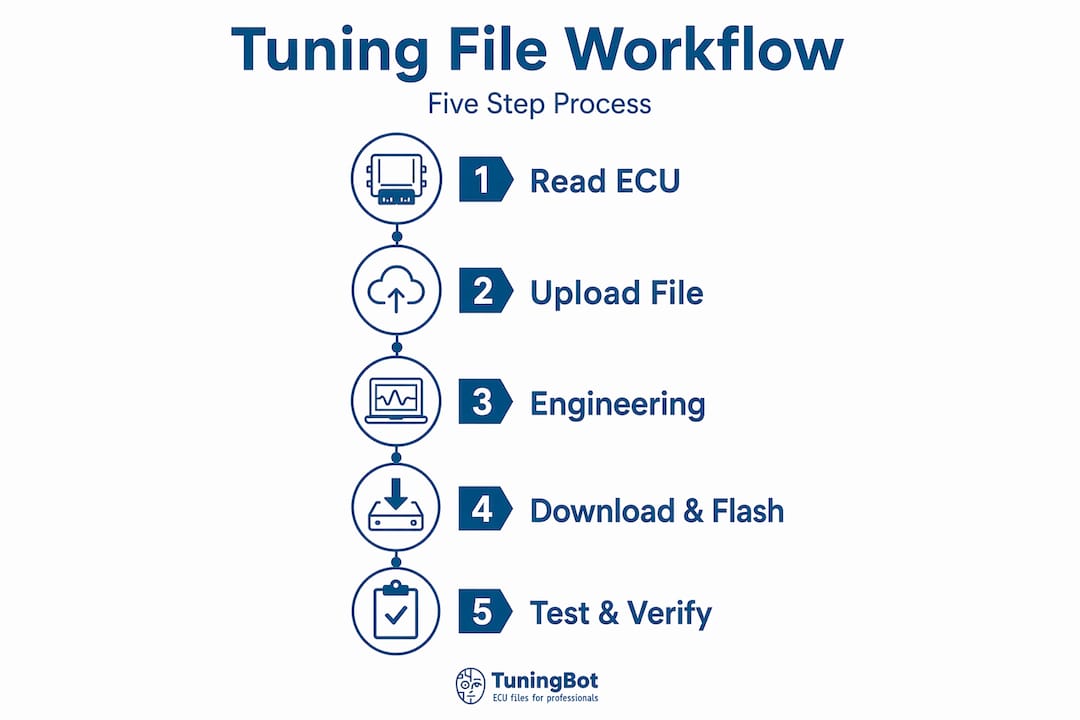
The professional ECU remapping process, sometimes called an online file service or remote calibration workflow, follows a predictable sequence. Deviating from any stage introduces compounding risk downstream.
Step 1: Read the stock ECU file
Connect your read/write tool to the vehicle using the appropriate protocol: OBD, boot mode, or bench. For accurate results on sensitive ECUs, how a professional tuner reads ECU data provides protocol-specific guidance. Read the file twice and perform a binary comparison to confirm the reads match before uploading anything.
Step 2: Upload with complete job details
Log in to your file service portal and create a new job submission. Provide the ECU hardware number, software version, vehicle make, model, engine variant, current mileage, and your specific tuning goal. Incomplete submissions are one of the most common causes of processing delays. The engineering team cannot calibrate accurately without knowing whether the vehicle has hardware modifications such as an intake, exhaust, or intercooler upgrade.
Step 3: Engineering and file creation
Once uploaded, the file enters the processing queue. Typical turnaround ranges from 20 to 60 minutes when all job details are correctly submitted. Complex requests such as multi-stage calibrations or combined emission deletions with power modifications take longer. The engineer applies the requested calibration maps, adjusts torque management and fuel delivery parameters, then corrects checksums before returning the file.

Step 4: Download and flash the tuned file
Download the completed file only after confirming it corresponds to your specific ECU hardware number. Flash it back using the same tool and protocol used during the read. Never attempt to flash a file that was not built for the exact ECU variant you read.
Step 5: Verification and road testing
After flashing, perform a DTC scan to confirm no fault codes were introduced. Complete a road test under normal load and at operating temperature. Log data if your tool supports it. Verify that power delivery matches the expected calibration targets and that no adaptation resets or knock events are logged.
Pro Tip: Always retain the original stock file in at least two locations, including the service portal. Storing original files in the portal provides a recoverable backup for returning the vehicle to factory settings if the customer requires it or if a subsequent modification demands a clean baseline.
Common mistakes and workflow challenges
The majority of tuning file workflow failures originate on the workshop side, not with the engineering team or the platform. Understanding where those failures occur is the most direct path to preventing them.
- Interrupted power during read or write: A voltage drop mid-session can corrupt the ECU flash memory, requiring expensive recovery procedures or ECU replacement. Use a battery support unit on every session without exception.
- Single ECU reads without verification: Errors in the original ECU read produce tune failures regardless of how skilled the engineer is. Always double-read and compare.
- Missing or incorrect job metadata: Submitting a file without the ECU hardware number or with the wrong variant identifier forces the engineer to request clarification, adding hours to a job that should complete in under one hour.
- Flashing without checksum verification: Modifying a binary and flashing it without validating the checksum can result in the ECU rejecting the file or entering a locked state.
- Missed completion notifications: Without automated job status alerts, workshops frequently forget to check the portal and leave completed files waiting, creating unnecessary delays for the customer.
Tracking job status transitions from pending through processing to completed is not just administrative convenience. It is a direct input into workshop scheduling, determining when the vehicle can be returned to the customer with confidence.
A structured approach to common ECU tuning mistakes addresses several of these points in greater technical depth and is worth reviewing before scaling your file service volume.
Business operations and dealer account management
The efficiency gains available through administrative automation are frequently underestimated. Administrative systems such as payment handling and order status updates often deliver larger throughput improvements than faster file creation.
Dealer account features and their operational value
| Feature | Operational benefit |
|---|---|
| Order and payment status management | Direct pay-per-file checkout or account billing reduces manual coordination without forcing prepaid credit packs |
| Tiered pricing structures | Volume-based pricing rewards high-throughput workshops and supports margin management |
| Job queue with status views | Pending, processing, and completed views give clear pipeline visibility across all active orders |
| Automated email and SMS alerts | Automated notifications reduce manual follow-ups and prevent lost file completions |
| Branded portal interface | White-label options support professional customer-facing presentation |
Online tuning portals differentiate from generic file sharing by integrating payment management, account hierarchy, and workflow tracking in a single environment. That integration is what makes B2B file service scalable rather than dependent on manual coordination.
Pro Tip: Set up automated SMS notifications for job completion events if your portal supports it. Workshops that rely on manual portal checks add an average of 30 to 90 minutes of avoidable delay per job, compounded across a full week of volume.
File verification and checksum correction
Technical validation before flashing is not optional. It is the step that separates professional practice from guesswork.
- Confirm ECU hardware and software number match: Before flashing, cross-reference the tuned file identifier against the hardware number you read during step one. A mismatch at this stage is a critical stop condition.
- Run checksum validation: Checksum correction is technically required after any tune edit. An incorrect checksum causes the ECU to reject the file or, in some cases, enter a failsafe mode that requires bench recovery.
- Compare file size and structure: The tuned file should match the byte length of the original. Significant size deviations indicate a file handling error.
- Perform a pre-flash DTC scan: Clearing any pre-existing fault codes before flashing gives you a clean baseline for post-flash DTC comparison.
- Flash and immediately verify: After writing the tuned file, read the ECU again and perform a binary comparison against the tuned file you flashed. This confirms the write completed without corruption.
- Document the process: Record the vehicle, ECU hardware number, tuned file version, flash date, and technician. An audit trail supports quality control and provides documentation if a customer returns with a complaint.
Explicit checksum validation is mandatory before flashing to prevent ECU damage. Tools like OpenRemap provide programmatic API access to checksum correction workflows for workshops building their own integration layers.
Where online tuning workflows are heading
Many workshops were still processing tuning files through email folders and spreadsheets as recently as three years ago. The output was erratic. Files got lost. Engineers would receive incomplete job details and guess. Customers waited days for work that should take an hour. The shift to portal-driven workflows did not just speed things up. It made the entire operation auditable.
What is most telling is where the real productivity gains come from. Shops tend to assume that faster file creation is the goal. In practice, the biggest time savings come from eliminating the coordination overhead: the phone calls to check if a job is done, the emails asking which file version to flash, the confusion over whether payment or status was recorded. Status-driven queue management with automated notifications removes all of that without any change in the engineering work itself.
The next phase is likely to be tighter integration between tuning portals and workshop management software. When a job status updates in the tuning portal and that event automatically updates the repair order in the shop’s management system, the last layer of manual coordination disappears. Workshops that build their workflows around structured, platform-based processes now will be the ones positioned to handle that integration without disruption.
— TuningBot Technical Team
Upgrade your workshop with TuningBot
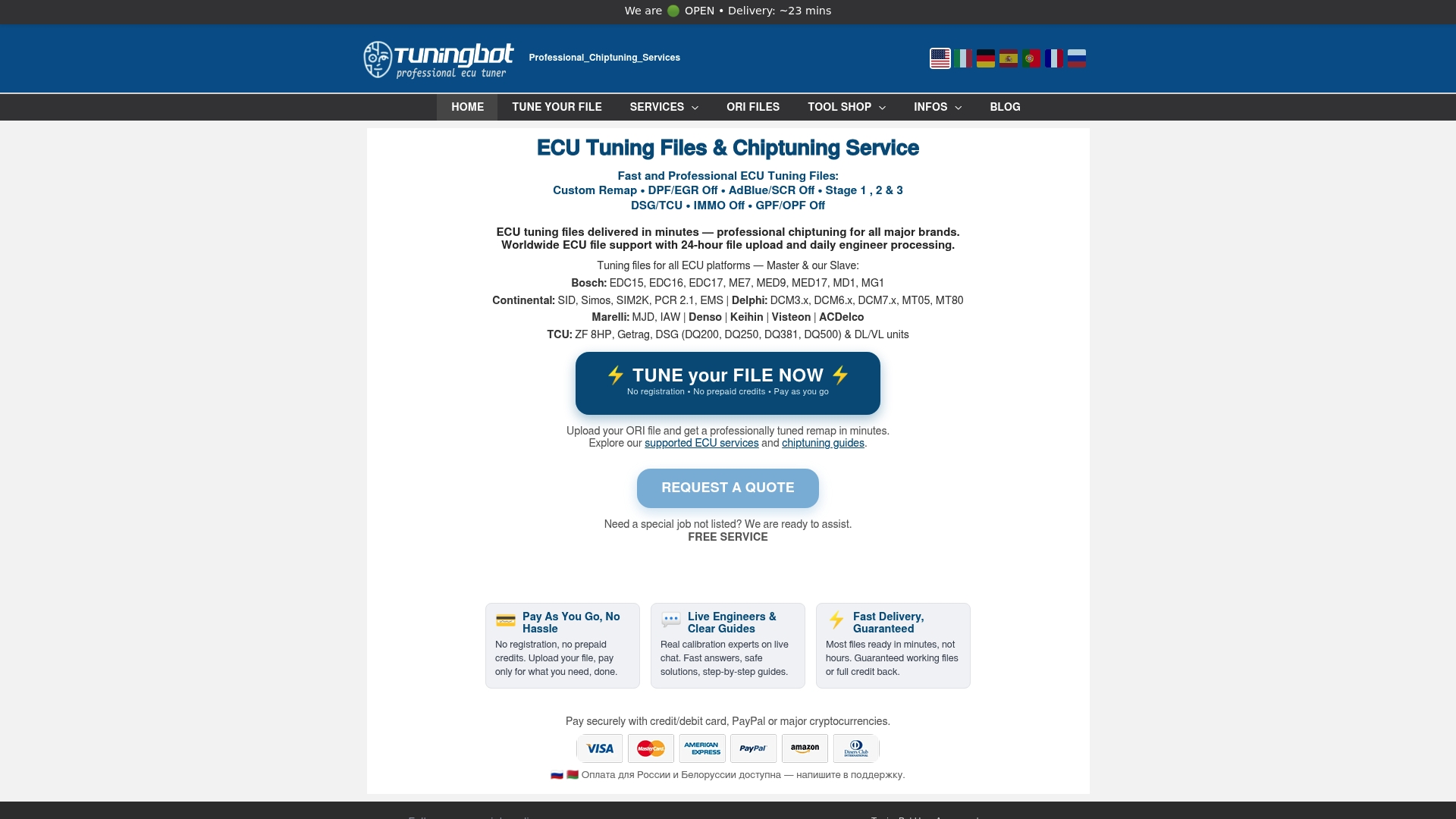
TuningBot provides professional workshops with direct access to ECU remapping files across all major platforms including Bosch, Continental, Delphi, Marelli, Denso, Siemens, and ZF, with no registration or prepaid credits required to get started. Support covers Stage 1, Stage 2, Stage 3, DPF Off, EGR Off, IMMO Off, DSG/TCU tuning, and a full catalog of advanced calibration services. Compatible with Alientech KESS3, AutoTuner, Magicmotorsport Flex, CMD, Dimsport, and PCMFlash, the platform fits directly into your existing workflow. The 2026 platform updates include expanded ECU coverage and new integrations that reduce delivery time across high-volume workshop accounts. Submit your first file through Tune Your File and see the turnaround.
FAQ
What is a tuning file service workflow?
A tuning file service workflow is the structured sequence of reading the stock ECU file, uploading it to a professional calibration portal with vehicle and tuning details, receiving the modified file from an engineer, and flashing it back to the ECU. The goal is a repeatable, error-resistant process for ECU remapping.
How long does an online ECU tuning file take?
Typical turnaround is 20 to 60 minutes when all job details are submitted correctly. Complex calibrations involving multiple modifications or less common ECU variants may require additional time.
Why is checksum correction required after tuning?
Checksum correction is required because the ECU validates the integrity of its own binary data before accepting a flash. Flashing a file with an incorrect checksum can cause the ECU to reject the write or enter a recovery state that requires bench intervention.
What causes most tuning file workflow failures?
Workshop-side issues such as unstable power or interrupted internet during read and write sessions cause the majority of tuning file failures. Incomplete job metadata and unverified ECU reads are the next most common sources of error.
Do dealer accounts improve workflow efficiency?
Yes. Dealer or workshop workflows with order tracking and automated notifications reduce per-job coordination overhead by minimizing manual follow-ups and providing real-time status updates without requiring constant portal checks.